
Virtual Landscape Designer: Transform Your Yard Online
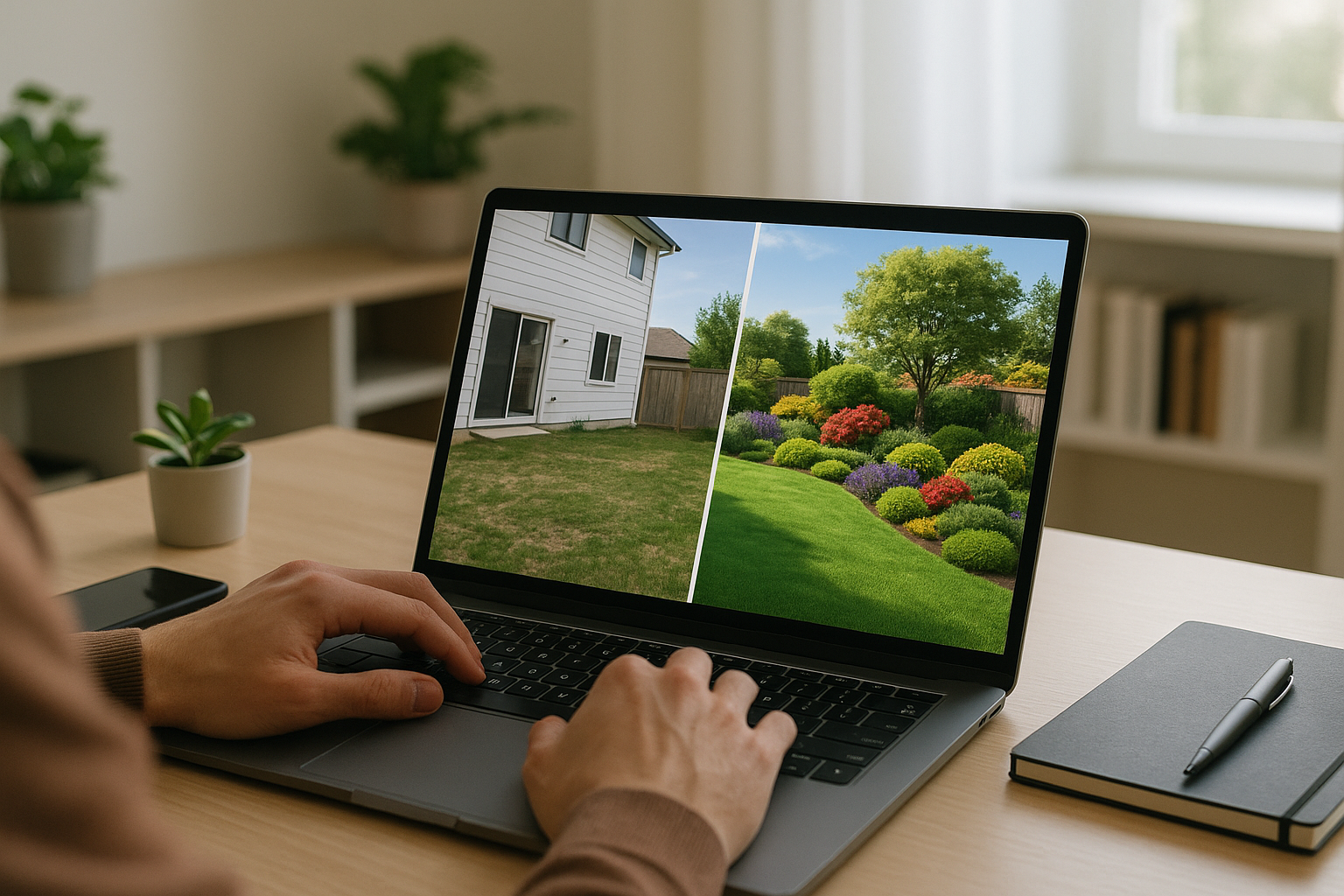
Virtual Landscape Designer: Transform Your Yard Online
Quick Answer: Virtual landscape designers are online tools that create photorealistic visualizations of your future outdoor space in minutes. Upload a photo, describe your vision, and instantly see what your yard will look like—without spending $2,000-$10,000 on traditional design fees or waiting weeks for renderings.
Imagine seeing your dream backyard before spending a single dollar on plants or materials. What if you could test five different design styles in an afternoon, share realistic previews with your family, and know exactly what you’re getting before breaking ground?
That’s the power of a virtual landscape designer.
Traditional landscape design means hiring a professional for $2,000-$10,000, waiting 2-4 weeks for hand-drawn plans, and hoping the final result matches what you envisioned. You’re committing to a design you’ve never truly seen—just imagined from 2D sketches or basic renderings.
Virtual landscape designers flip this entire process on its head. In minutes, not weeks, you can see photorealistic images of your actual property transformed with new landscaping. Try modern minimalist. Then switch to cottage garden. Then tropical oasis. All before spending a cent on implementation.
Whether you’re planning a complete backyard overhaul, refreshing curb appeal, or just dreaming about possibilities, virtual landscape design tools have democratized what was once available only to those who could afford professional designers.
Last Updated: November 2025 | Reading Time: 22 minutes
🚀 Quick Start: Get Your First Design in 5 Minutes
Never used a virtual landscape designer? Start here:
- Right Now (2 min): Take 3-5 photos of your yard from different angles
- Next (3 min): Upload photos to YardRevision and describe your vision
- Wait (90 sec): AI generates your first photorealistic design
- Then (10 min): Try 3-4 different style variations
- Finally (5 min): Save favorites and share with family
Total time invested: 20 minutes | Total cost: $0 | Value gained: Clear vision worth $2,000-$5,000 in design fees
Table of Contents
- What Is a Virtual Landscape Designer?
- How Virtual Landscape Design Works
- 8 Powerful Benefits
- Virtual vs Traditional Design
- Best Virtual Designers (2025)
- Step-by-Step Guide
- Real-World Success Stories
- Common Mistakes to Avoid
- Choosing the Right Tool
- FAQ
What Is a Virtual Landscape Designer?
A virtual landscape designer is software that creates digital visualizations of your outdoor space, showing you exactly how landscape changes will look before you commit to them. Unlike traditional design tools that require manual drafting, virtual designers use photos of your actual property to generate realistic previews of proposed designs.
Core Capabilities
Modern virtual landscape designers can:
1. Transform Existing Photos
- Upload pictures of your current yard
- AI removes or modifies existing landscaping
- Overlays new design elements
- Creates photorealistic final images
2. Generate Multiple Design Options
- Produce 5-10 different styles in minutes
- Compare side-by-side variations
- Iterate quickly on preferred directions
- Test “what-if” scenarios instantly
3. Visualize Before You Build
- See mature plant sizes and colors
- Preview hardscape materials in context
- Understand spatial relationships
- Spot potential issues early
4. Communicate Your Vision
- Share realistic images with contractors
- Get family buy-in before spending
- Provide clear direction to installers
- Ensure everyone sees the same vision
What Makes It “Virtual”?
The “virtual” aspect means everything happens digitally:
- No in-person meetings required (though optional)
- No physical site visits from designers
- No hand-drawn plans to interpret
- Instant revisions without scheduling delays
- Accessible anywhere with internet connection
Think of it as having a professional landscape designer in your pocket—one who works at lightning speed and costs a fraction of traditional services.
Types of Virtual Landscape Design Tools
Virtual landscape designers come in several forms:
AI-Powered Visualization Tools (like YardRevision)
- Upload photos, describe vision
- AI generates photorealistic concepts
- Fastest option (30 seconds to 2 minutes)
- Minimal learning curve
- Best for: Concept exploration, decision-making
- Learn more: AI Landscape Design: Complete Guide
3D Modeling Software (like SketchUp, Planner 5D)
- Manually build 3D models
- Extensive customization
- Steeper learning curve (10-40 hours)
- Best for: Detailed planning, technical specs
Augmented Reality (AR) Apps (like iScape)
- View designs overlaid on real space via phone camera
- Interactive placement of elements
- Mobile-focused experience
- Best for: On-site visualization, plant shopping
Online Design Services (like Yardzen)
- Human designers work remotely
- Video consultations replace site visits
- Professional expertise with convenience
- Best for: Comprehensive design with expert guidance
🤔 Common Questions Before You Start
“Do I need design skills to use a virtual backyard designer?”
No. AI-powered tools like YardRevision require zero experience—just describe what you want in plain English.
“How much does online landscape design really cost?”
$0-$50 for DIY visualization tools, $495-$1,495 for remote design services vs. $2,000-$10,000 for traditional designers.
“Will contractors actually work from virtual designs?”
Yes—as visual style guides. Contractors love them because they clearly show your vision. They’ll create technical specs from your digital landscape design.
“How long does landscape visualization take?”
30 seconds to 2 minutes for AI-generated designs, 1-3 hours for manual 3D modeling, same day for most online yard designers.
“Can I see MY actual yard, or just generic examples?”
You upload photos of YOUR real property. The virtual landscape designer transforms your specific space, not generic stock images.
How Virtual Landscape Design Works
Understanding the technology helps you use these tools more effectively.
The Virtual Design Process
Traditional Landscape Design Timeline:
- Schedule consultation (wait 1-2 weeks)
- Designer visits property (2-3 hours)
- Designer creates concepts (2-4 weeks)
- Review meeting (schedule another appointment)
- Revisions (another 1-2 weeks)
- Final plans delivered (6-8 weeks total)
Virtual Landscape Designer Timeline:
- Upload photos (5 minutes)
- Describe vision or choose style (5 minutes)
- Generate concepts (30 seconds to 2 minutes)
- Review and iterate (immediate)
- Share final design (same day)
- Total: 30 minutes to 2 hours
Behind the Scenes: AI-Powered Visualization
Modern virtual landscape designers use sophisticated technology:
Image Recognition
- AI identifies existing elements (grass, hardscape, structures)
- Detects property boundaries and spatial relationships
- Understands perspective and lighting conditions
- Recognizes current plant types and features
Generative AI
- Trained on millions of professional landscape designs
- Understands design principles (balance, proportion, harmony)
- Knows plant compatibility and growth patterns
- Applies regional and climate-appropriate elements
Photorealistic Rendering
- Generates images indistinguishable from photos
- Maintains accurate lighting and shadows
- Preserves perspective and scale
- Blends seamlessly with existing structures
Style Transfer
- Applies design aesthetics (modern, traditional, tropical)
- Maintains consistency across elements
- Respects architectural compatibility
- Creates cohesive visual narratives
Data That Powers Accurate Designs
Quality virtual landscape designers incorporate:
- Climate zone databases - Plants suitable for your region
- Seasonal visualization - How designs look year-round
- Mature growth patterns - Plants at full size, not just planted
- Regional materials - Local stone, hardscape, and features
- Architectural styles - Designs that complement your home
- Current trends - Contemporary aesthetics and techniques
8 Powerful Benefits of Virtual Landscape Designers
1. See Before You Spend (Save $5,000-$20,000 in Mistakes)
The Traditional Problem:
You commit thousands to plants, materials, and labor based on:
- 2D sketches you can’t fully envision
- Plant tags showing mature sizes you must imagine
- Material samples that don’t show the full effect
- Hope that it all works together
The Virtual Solution:
See photorealistic previews showing:
- Exactly how plant combinations look together
- Whether that patio size actually fits your furniture
- If those pavers really complement your home’s brick
- How the design feels from different angles
Real Cost Savings:
Common expensive mistakes virtual design prevents:
- Wrong plant scale ($2,000-$5,000): Buying trees that become too large, shrubs that overwhelm spaces
- Color clashes ($1,500-$3,000): Plant combinations that don’t work together seasonally
- Proportion issues ($3,000-$8,000): Patios too small for furniture, beds too narrow for impact
- Style mismatches ($5,000-$15,000): Landscaping that fights your home’s architecture
- Material regret ($4,000-$10,000): Hardscape that looks different than imagined
Bottom line: Investing $0-$200 in virtual design tools prevents $5,000-$20,000 in costly redesigns.
2. Instant Design Iterations (Try 10 Ideas in an Hour)
Speed Comparison:
Traditional Designer:
- Request revision: Schedule meeting (1-2 weeks wait)
- Designer makes changes: 3-5 business days
- Review updated design: Another meeting
- Time per iteration: 2-3 weeks
Virtual Designer:
- Request revision: Describe changes in app
- AI generates new version: 30-120 seconds
- Review updated design: Immediately
- Time per iteration: 2-5 minutes
Creative Freedom:
This speed unlocks unprecedented creative exploration:
- Test modern vs. traditional vs. cottage styles
- Compare different patio materials (stone, pavers, concrete)
- Experiment with bold vs. subtle plant palettes
- Try various layouts and focal points
- Visualize with/without specific features
Example: Spend Saturday morning generating 10-15 design variations. By lunch, you’ve explored options that would take a traditional designer 6 months to produce.
3. Eliminate Miscommunication (What You See Is What You Get)
The Traditional Communication Challenge:
“I want a Mediterranean-style backyard with a cozy feel.”
- You envision: Warm terracotta, olive trees, fountain, intimate dining space
- Designer envisions: Formal Italian villa style, large pool, grand entertaining area
- Contractor interprets: Generic Spanish-style with red pavers
Result: Everyone’s surprised by the final product, often disappointed.
The Virtual Solution:
Show everyone the exact same photorealistic image. No interpretation needed.
Benefits:
- Family alignment: Spouse sees exactly what you mean by “cozy”
- Contractor clarity: No guessing about plant placement or materials
- Expectation management: You know precisely what you’re getting
- Approval confidence: Make decisions based on reality, not imagination
4. Save $2,000-$10,000 in Design Fees
Traditional Landscape Design Costs:
| Service Level | Cost | What You Get |
|---|---|---|
| Basic Consultation | $500-$1,500 | Site visit, verbal recommendations, rough sketch |
| Standard Design Package | $2,000-$5,000 | Conceptual plan, plant list, basic renderings |
| Comprehensive Design | $5,000-$10,000 | Detailed plans, 3D renderings, material specs, phasing |
| High-End Landscape Architect | $10,000-$25,000+ | Complete design, engineering, permitting, construction oversight |
Virtual Landscape Designer Costs:
| Tool Type | Cost | What You Get |
|---|---|---|
| AI Design Tools (YardRevision) | $0-$50/month | Unlimited photorealistic visualizations, instant iterations |
| 3D Software (Planner 5D) | Free-$60/year | DIY 3D modeling tools, rendering capabilities |
| AR Apps (iScape) | Free-$30/month | Mobile augmented reality visualization |
| Online Design Services (Yardzen) | $495-$1,495 | Professional remote design with 3D renderings |
Savings Scenarios:
DIY with Free Tools:
- Cost: $0
- Time: 2-4 hours learning + designing
- Savings: $2,000-$10,000 vs. professional designer
Premium AI Tool:
- Cost: $30-50 (one month subscription)
- Time: 30 minutes to 2 hours
- Savings: $1,950-$9,970 vs. professional designer
Online Design Service:
- Cost: $495-$1,495
- Time: 1-2 weeks collaboration
- Savings: $1,500-$8,500 vs. in-person professional
5. Design at Your Own Pace (No Pressure, No Appointments)
Traditional Designer Schedule:
- Book consultation: Work around designer’s availability
- Site visit: Take time off work
- Review meeting: Schedule conflicts with family
- Decision deadline: Designer needs answer to proceed
Virtual Designer Freedom:
- Design at 11 PM if inspiration strikes
- Spend weeks exploring options
- Share designs with family across time zones
- No pressure to decide before you’re ready
Flexibility Benefits:
- Research thoroughly: Compare options over days or weeks
- Get multiple opinions: Easy to share links with friends/family
- Budget planning: See costs before committing to designer fees
- Seasonal timing: Design in winter, implement in spring
- Incremental decisions: Finalize front yard before tackling backyard
6. Perfect for Remote Properties
Own a vacation home, rental property, or future build site?
Traditional Design Challenges:
- Designer must visit property (travel costs)
- Multiple trips for revisions
- Difficult to coordinate if you’re not local
- Limited designer options in rural areas
Virtual Design Advantages:
- Design from anywhere with photos
- No travel required for anyone
- Access to designers nationwide
- Same quality regardless of property location
Example Use Cases:
- Design landscaping for vacation cabin from your primary home
- Plan rental property curb appeal improvements remotely
- Prepare future retirement home while still working elsewhere
- Coordinate multi-property landscaping for consistency
7. Educational Tool (Learn Design Principles)
Virtual landscape designers teach you why certain choices work:
Visual Learning:
- See immediately when plant combinations clash
- Understand scale and proportion through trial and error
- Learn color theory by experimenting with palettes
- Discover regional plant appropriateness
Pattern Recognition:
- Notice what makes designs feel balanced
- Identify successful focal points
- Understand layering and depth
- Recognize architectural compatibility
By the time you finish exploring designs, you’ve gained intuitive understanding of landscape design principles—knowledge worth thousands in design education.
8. Environmental Planning (Optimize Before Building)
Virtual design lets you solve problems before they exist:
Drainage Planning:
- Visualize water flow patterns
- Test rain garden placements
- Plan grading solutions
- Prevent foundation issues
Sun and Shade:
- See how shadows change throughout day
- Plan shade structures strategically
- Place plants according to light needs
- Optimize outdoor living comfort
Sustainability:
- Test native plant combinations
- Plan water-wise irrigation zones
- Visualize permeable hardscape
- Design for wildlife habitat
Long-Term Growth:
- See mature plant sizes
- Prevent future crowding issues
- Plan pruning access
- Ensure maintenance feasibility
Virtual vs Traditional Landscape Design: Head-to-Head
Let’s compare these approaches across critical factors. For a detailed comparison of specific software options, see our free landscape design software comparison guide.
Comprehensive Comparison
| Factor | Virtual Designer | Traditional Designer | Winner |
|---|---|---|---|
| Cost | $0-$1,500 | $2,000-$25,000 | Virtual |
| Speed | Same day | 4-8 weeks | Virtual |
| Visualization Quality | Photorealistic | Varies (sketches to 3D) | Virtual |
| Revisions | Instant, unlimited | 1-2 weeks each | Virtual |
| Technical Detail | Conceptual | Construction-ready | Traditional |
| Plant Expertise | AI-based | Professional knowledge | Traditional |
| Site-Specific Issues | Limited analysis | Comprehensive assessment | Traditional |
| Learning Curve | 15 minutes | None (designer does work) | Virtual |
| Flexibility | 24/7 access | Appointment-based | Virtual |
| Best For | Concept & visualization | Complex projects | Depends |
When Virtual Designers Excel
Choose virtual landscape design when you need:
✅ Quick visualization for decision-making
✅ Budget-conscious planning under $50,000
✅ Multiple design options to compare
✅ Family buy-in before committing
✅ Straightforward projects without major grading or engineering
✅ Remote property design
✅ DIY implementation planning
✅ Conceptual exploration before hiring professionals
When Traditional Designers Are Worth It
Hire a traditional landscape designer when you have:
✅ Complex grading or drainage issues
✅ Structural elements requiring engineering (retaining walls, pools)
✅ High-end projects over $75,000
✅ Permit requirements needing professional stamps
✅ Difficult sites with slopes, poor soil, or environmental constraints
✅ Integration with architecture for new construction
✅ No time or interest in self-directed design
✅ Desire for expert plant selection for specific microclimates
The Hybrid Approach (Best of Both Worlds)
Many homeowners use both strategically:
Phase 1: Virtual Design (Weeks 1-2)
- Generate 10-15 concept options
- Narrow to 2-3 favorite directions
- Get family consensus
- Establish budget parameters
- Total cost: $0-$200
Phase 2: Professional Refinement (Weeks 3-6)
- Hire designer to refine chosen concept
- Add technical specifications
- Create construction documents
- Select specific plant varieties (learn more about AI-powered garden planning tools for vegetable gardens)
- Total cost: $1,500-$4,000
Total cost: $1,500-$4,200
Savings: $500-$6,000 vs. full traditional design
Benefit: Speed + professional expertise + cost savings
Best Virtual Landscape Designers in 2025
Here are the leading virtual landscape design tools, each excelling in different areas:
Quick Comparison Table
| Tool | Best For | Starting Price | AI Features | Mobile App | User Rating |
|---|---|---|---|---|---|
| YardRevision | Photorealistic AI visualization | Free tier | ⭐⭐⭐⭐⭐ | Web-based | 4.8/5 |
| Yardzen | Professional remote design | $495 | ⭐⭐⭐ | No | 4.7/5 |
| iScape | AR mobile visualization | Free/$30/mo | ⭐⭐⭐⭐ | iOS/Android | 4.6/5 |
| Planner 5D | DIY 3D modeling | Free/$60/yr | ⭐⭐⭐ | Yes | 4.5/5 |
| Home Outside | 3D AR design | $10/mo | ⭐⭐⭐⭐ | iOS/Android | 4.4/5 |
| Idea Spectrum | Professional software | $595 | ⭐⭐ | No | 4.3/5 |
1. YardRevision (Best for AI-Powered Photorealistic Visualization)
Type: Web-based AI landscape visualization
Best For: Homeowners wanting instant, photorealistic design previews
How It Works:
- Upload photos of your current outdoor space
- Describe your vision (style, features, plants)
- AI generates photorealistic visualizations in 30-90 seconds
- Iterate with unlimited variations
- Share images with family, contractors, or designers
Key Features:
- Photorealistic AI image generation
- Multiple style options (modern, traditional, tropical, cottage, etc.)
- Upload unlimited photos
- Instant iterations and revisions
- No design experience required
- See mature plant growth, not just planted sizes
Pricing: Free tier available, premium plans for unlimited designs
Pros:
- ✅ Fastest option (30 seconds to results)
- ✅ Zero learning curve (describe in plain English)
- ✅ Photorealistic quality every time
- ✅ Perfect for exploring style options
- ✅ Excellent for contractor communication
- ✅ Works with any property size
- ✅ Free option available
Cons:
- ❌ Concepts rather than construction documents
- ❌ Doesn’t provide precise measurements
- ❌ No plant species identification
- ❌ Requires professional translation for implementation
Best Use Cases:
- Exploring different landscape styles quickly
- Getting family consensus before hiring contractors
- Visualizing before/after for decision confidence
- Communicating vision to landscapers
- Budget-conscious homeowners avoiding design fees
- Remote property planning
Who Should Use It:
Perfect for homeowners who want to see realistic previews before committing to landscape changes, regardless of design experience.
⭐ Editor’s Choice: YardRevision stands out for delivering professional-quality visualizations instantly, without any design skills required. It’s the fastest path from idea to realistic preview.
2. Yardzen (Best for Professional Remote Design Services)
Type: Online landscape design service with human designers
Best For: Homeowners wanting professional expertise without in-person meetings
How It Works:
- Complete detailed property questionnaire
- Upload photos and measurements
- Video consultation with designer (30-60 minutes)
- Designer creates 3D renderings and plans (1-2 weeks)
- Revision rounds included
- Receive final design package
Key Features:
- Professional landscape designers (not DIY)
- Video consultations replace site visits
- 3D renderings and 2D CAD plans
- Detailed plant lists with sources
- Material specifications
- Phasing recommendations for budget management
- Ongoing support during implementation
Pricing:
- Basic package: $495
- Premium package: $1,495
- Luxury package: $2,495
Pros:
- ✅ Professional designer expertise
- ✅ Comprehensive design packages
- ✅ Both 3D visuals and technical plans
- ✅ Specific plant recommendations
- ✅ Implementation guidance
- ✅ More affordable than traditional design
- ✅ Convenient video consultations
Cons:
- ❌ Higher cost than DIY tools
- ❌ Slower than instant AI tools (1-2 weeks)
- ❌ Less flexibility for endless iterations
- ❌ Still requires human scheduling
Best Use Cases:
- Comprehensive landscape design projects
- Homeowners wanting professional guidance remotely
- Projects requiring plant expertise and technical detail
- When you value convenience over cost
- Remote or vacation properties
Who Should Use It:
Ideal for homeowners who want professional design quality but prefer online collaboration to in-person meetings, and have budgets of $500-$2,500 for design services.
3. iScape (Best for Augmented Reality Mobile Visualization)
Type: Mobile AR app with design tools
Best For: Visualizing designs directly on your property via smartphone
How It Works:
- Download app (iOS or Android)
- Take photo of your yard or use AR camera mode
- Browse library of plants, hardscape, structures
- Drag and drop elements onto your image
- See design overlaid on actual space via AR
- Save and share designs
Key Features:
- Augmented reality visualization
- 2,000+ plants, materials, and objects
- Drag-and-drop design interface
- Before/after comparison
- Cost estimation tools
- Shopping list generation
- Pro version with advanced features
Pricing:
- Free version (limited features, watermarked)
- Pro: $30/month or $100/year
Pros:
- ✅ AR visualization is impressive and useful
- ✅ On-site design while at nurseries
- ✅ Large element library
- ✅ Intuitive mobile interface
- ✅ Cost estimation feature
- ✅ Great for plant shopping
- ✅ Free version available
Cons:
- ❌ Mobile-only (no desktop version)
- ❌ Free version very limited
- ❌ Requires manual placement of every element
- ❌ Learning curve steeper than AI tools
- ❌ Results quality depends on user skill
- ❌ Time-consuming for large projects
Best Use Cases:
- On-site visualization while shopping
- Simple plant and feature placement
- Augmented reality preview
- Quick mobile mockups
- Testing plant positions in real space
Who Should Use It:
Best for mobile-first users who enjoy hands-on design and want to visualize changes while standing in their actual yard or at garden centers.
4. Planner 5D (Best for DIY 3D Modeling)
Type: Web and mobile 3D design software
Best For: DIYers wanting complete control over detailed 3D designs
How It Works:
- Create account (web or mobile app)
- Draw property boundaries and structures
- Drag and drop plants, materials, furniture
- Switch between 2D plan view and 3D visualization
- Customize colors, textures, and materials
- Render high-quality images
Key Features:
- 2D and 3D design modes
- Extensive library of outdoor elements
- Customizable materials and textures
- Realistic rendering engine
- AI-assisted design features (premium)
- Cross-platform sync
- Community design gallery for inspiration
Pricing:
- Free version (limited features)
- Plus: $9.99/month
- Premium: $24.99/month or $59.99/year
Pros:
- ✅ Free version very capable
- ✅ Full creative control
- ✅ Both 2D plans and 3D visualization
- ✅ Works on desktop and mobile
- ✅ Large object library
- ✅ High-quality renderings
- ✅ Also useful for interior design
Cons:
- ❌ Steeper learning curve (4-10 hours)
- ❌ Time-consuming to build from scratch
- ❌ Requires manual placement of all elements
- ❌ Best features require subscription
- ❌ Can be overwhelming for beginners
Best Use Cases:
- Detailed 3D planning and visualization
- Users who enjoy design software
- Projects needing precise measurements
- When you want complete creative control
- Multi-area property planning
Who Should Use It:
Perfect for tech-savvy DIYers who enjoy working with design software and want to create detailed 3D models with specific measurements and layouts.
5. Home Outside 3D (Best for Expert-Designed AR Experience)
Type: Mobile AR app with AI assistance
Best For: High-quality mobile design with professional guidance
How It Works:
- Download app (iOS or Android)
- Answer questionnaire about preferences
- AI suggests design directions
- Use AR to place and arrange elements
- Access expert plant recommendations
- View designs in augmented reality on property
Key Features:
- AI-guided design process
- Augmented reality visualization
- Expert plant database with regional filtering
- Photorealistic 3D models
- Climate-appropriate recommendations
- Professional design tips throughout
- Shopping integration
Pricing: $9.99/month subscription
Pros:
- ✅ Professional-quality mobile app
- ✅ AI assistance speeds up design
- ✅ Expert plant knowledge integrated
- ✅ AR visualization impressive
- ✅ Regional plant recommendations
- ✅ Affordable monthly subscription
- ✅ Regular updates and improvements
Cons:
- ❌ Mobile-only platform
- ❌ Requires subscription (no free version)
- ❌ Smaller element library than some competitors
- ❌ Less photorealistic than pure AI tools
Best Use Cases:
- Mobile-focused users wanting AI help
- Plant selection with expert guidance
- AR visualization enthusiasts
- Regional plant recommendations
- Learning landscape design principles
Who Should Use It:
Ideal for smartphone users who want AI assistance and expert plant recommendations combined with AR visualization capabilities.
6. Idea Spectrum Realtime Landscaping (Best for Professional-Grade Software)
Type: Professional desktop landscape design software
Best For: Serious DIYers and professionals needing construction-ready plans
How It Works:
- Purchase and download software (Windows only)
- Import property photos or create from measurements
- Use professional-grade tools to design
- Access 16,000+ plants and materials
- Create photorealistic renderings
- Generate detailed plans and materials lists
Key Features:
- Professional design tools
- 16,000+ plant database with regional filtering
- Photorealistic rendering engine
- CAD-style precision
- Material cost estimation
- Client presentation tools
- Technical plan generation
Pricing: $595 one-time purchase (no subscription)
Pros:
- ✅ Professional-grade capabilities
- ✅ One-time purchase (no ongoing fees)
- ✅ Massive plant and material library
- ✅ High-quality photorealistic renders
- ✅ Technical detail for contractors
- ✅ Suitable for professional use
- ✅ Excellent customer support
Cons:
- ❌ High upfront cost
- ❌ Windows only (no Mac or mobile)
- ❌ Steep learning curve (20-40 hours)
- ❌ Overkill for simple residential projects
- ❌ No AI assistance features
- ❌ Requires powerful computer
Best Use Cases:
- Professional landscape designers
- Serious DIYers with technical inclination
- Large, complex residential projects
- When construction documents are needed
- Multiple projects justifying the investment
Who Should Use It:
Best for landscape professionals or advanced DIYers who need construction-ready plans and are willing to invest time learning comprehensive design software.
How to Use a Virtual Landscape Designer: Step-by-Step
Follow this comprehensive guide to transform your yard from vision to reality. For a deeper dive into planning your entire outdoor space, see our complete backyard design guide.
Phase 1: Preparation (30-60 Minutes)
Step 1: Photograph Your Property
Take comprehensive photos for best results:
Essential Photos:
- ✓ Straight-on view from back door looking into yard
- ✓ Each property corner looking toward center
- ✓ Front yard from street level
- ✓ Side yards and transition spaces
- ✓ Existing features to keep (trees, structures, etc.)
Photography Tips:
- Shoot in good natural light (early morning or late afternoon)
- Keep phone/camera level (avoid tilted horizons)
- Clear clutter (hoses, toys, trash bins) first
- Take multiple angles of the same area
- Include house/structures for context
- Step back to capture full scope
Step 2: Measure Your Space
Basic measurements help regardless of which tool you use:
Critical Dimensions:
- Overall yard length and width
- Distance from house to property lines
- Locations of existing features to keep
- Patio or deck sizes
- Fence lines and gates
Measurement Tools:
- Measuring tape (100 ft recommended)
- Smartphone measuring apps (decent for rough estimates)
- Property survey (if available)
- Google Earth for overall property dimensions
Step 3: Assess Site Conditions
Note important factors that influence design:
Sun Exposure:
- Where does sun hit in morning, midday, afternoon?
- Which areas get full sun (6+ hours)?
- Where are shady spots?
- Take mental notes throughout a full day
Problem Areas:
- Poor drainage or standing water
- Slopes or erosion
- Dead zones where nothing grows
- Eyesores to screen (neighbor’s view, utilities)
Budget Parameters:
- What’s your total project budget?
- DIY vs. hiring contractors?
- All at once or phased implementation?
- Splurge areas vs. save areas?
Phase 2: Generate Designs (15-30 Minutes with AI Tools)
Step 4: Choose Your Virtual Design Tool
Based on your needs:
For Fastest Results (YardRevision):
- Upload photos
- Describe vision in plain English
- Generate in 30-90 seconds
- Best for: Quick exploration, family buy-in
For Detailed 3D Models (Planner 5D):
- Draw property boundaries
- Place elements manually
- Render 3D views
- Best for: Precise planning, tech-savvy users
For AR Visualization (iScape):
- Use phone camera
- Place elements via AR
- See in real space
- Best for: On-site testing, mobile users
Step 5: Generate Your First Design
Using AI Tools (YardRevision Example):
-
Upload Photos
- Select best straight-on shots
- Upload 2-5 different angles
- Include context (house, fences, etc.)
-
Describe Your Vision
- Style preference: “Modern minimalist with native plants”
- Features desired: “Patio for dining, low-maintenance garden beds”
- Colors: “Whites, silvers, and greens with purple accents”
- Vibe: “Peaceful retreat for morning coffee”
-
Generate Initial Concept
- Click “Generate” or “Create Design”
- Wait 30-90 seconds
- Review photorealistic result
-
First Impression Check
- Does it match the style you described?
- Are the proportions reasonable?
- Does it feel like your property?
- What do you like? What’s off?
Step 6: Create Multiple Variations
Don’t stop at one design—explore options:
Try Different Styles:
- Modern contemporary
- Traditional English garden
- Mediterranean/Tuscan
- Tropical resort
- Cottage garden
- Native/naturalistic
- Japanese-inspired
Vary Key Elements:
- With pool vs. without
- Large patio vs. more garden space
- Formal layout vs. organic curves
- Colorful vs. monochromatic
- High-maintenance vs. low-maintenance
Adjust Features:
- Fire pit placement
- Outdoor kitchen position
- Privacy screening approaches
- Water feature options
- Focal point variations
Goal: Generate 8-15 designs showing different approaches
Phase 3: Refinement (30-60 Minutes)
Step 7: Narrow Your Options
Review all generated designs and eliminate obviously wrong directions:
Evaluation Criteria:
Aesthetics:
- Does it make you excited?
- Does your partner/family like it?
- Does it complement your home’s architecture?
- Is the style cohesive?
Functionality:
- Does it meet your stated goals?
- Is there space for intended activities?
- Are access paths logical?
- Can you maintain it realistically?
Budget Alignment:
- Does it look achievable within budget?
- Are elements phased or all-at-once?
- Can you DIY portions?
- Are materials realistic for your range?
Narrow to 3-5 favorite designs for deeper evaluation
Step 8: Share and Get Feedback
Don’t design in a vacuum:
Share With:
Family Members:
- Spouse/partner approval
- Kids’ input (if play space involved)
- Aging parents (accessibility concerns)
Friends with Good Taste:
- Objective aesthetic opinions
- “Does this feel like us?”
- Style appropriateness
Contractor (if hiring):
- Feasibility check
- Budget reality check
- Implementation complexity
How to Share:
- Save images and send links
- Create comparison boards (Canva, PowerPoint)
- Print 8x10s for in-person review
- Walk property with images on phone/tablet
Step 9: Make Final Adjustments
Based on feedback, refine your top choice:
Common Adjustments:
- Enlarge or shrink patios
- Add/remove specific features
- Adjust color palettes
- Modify plant densities
- Change focal points
- Refine privacy screening
With AI Tools:
Simply describe changes and regenerate (30-90 seconds per iteration)
With Manual Tools:
Edit elements and re-render (5-30 minutes depending on complexity)
Phase 4: Implementation Planning (1-2 Hours)
Step 10: Translate Vision to Reality
Virtual designs show the concept—now make it concrete:
If Hiring Contractors:
-
Use design as communication tool
- Show images to landscapers
- “This is the style and feel I want”
- Point out specific elements you love
-
Get multiple bids
- Share designs with 3-5 contractors
- Ask for itemized estimates
- Compare approaches and pricing
-
Clarify expectations
- Virtual image is inspiration, not blueprint
- Contractor will specify exact plants/materials
- Discuss regional substitutions
- Agree on interpretation of concept
If DIYing:
-
Create plant and material lists
- Note general plant types from design
- Research specific varieties for your zone
- List hardscape materials
- Count quantities needed
-
Price out materials
- Visit local nurseries
- Check big box stores for hardscape
- Compare online prices
- Build realistic budget
-
Plan implementation phases
- Phase 1: Hardscape and structure
- Phase 2: Major plantings
- Phase 3: Finishing touches
- Spread cost and labor over time
Step 11: Document Everything
Save your work for future reference:
- ✓ Download all final design images
- ✓ Screenshot any notes or specifications
- ✓ Save contractor bids and communications
- ✓ Print reference images for on-site use
- ✓ Create before photos for comparison
- ✓ Document plant lists and sources
Phase 5: Track Progress (Ongoing)
Step 12: Monitor Implementation
Compare reality to virtual design:
During Construction:
- Reference images when questions arise
- Ensure contractor interpretation aligns
- Make on-the-fly adjustments if needed
- Document progress photos
After Completion:
- Take “after” photos matching original angles
- Compare to virtual design
- Note successes and deviations
- Assess satisfaction
Long-Term:
- Track plant growth and maturity
- Note what thrives vs. struggles
- Plan future phases
- Inspire friends and neighbors
Real-World Success Stories
Virtual landscape design transforms yards across budgets and styles:
Case Study 1: Suburban Backyard Transformation
Property: 1,200 sq ft suburban backyard, Denver, CO
Challenge: Boring grass rectangle, no privacy, no outdoor living space
Budget: $12,000 total
Virtual Design Process:
- Uploaded 4 photos of existing yard
- Tried 12 different design styles in 45 minutes
- Narrowed to 3 favorites: modern, cottage, native
- Family chose modern minimalist approach
- Total design time: 2 hours
Implementation:
- Showed virtual design to 4 contractors
- Received bids ranging $18,000-$25,000
- Adjusted design to fit $12,000 budget
- DIY’d plant installation, hired hardscape pros
- Completed over 6 weekends
Results:
- 240 sq ft paver patio with built-in seating
- Privacy screening with ornamental grasses and small trees
- Low-water native plant beds
- Artificial turf play area for kids
- Fire pit gathering zone
Cost Savings:
- Design fees saved: $2,500 (virtual vs. traditional designer)
- Avoided mistakes by seeing design first: $3,000 (wrong plants, incorrect proportions)
- DIY plant installation: $2,400 (vs. contractor labor)
- Total savings: $7,900
Homeowner Quote:
“Seeing realistic images before committing gave us confidence to tackle this ourselves. We knew exactly what we wanted and avoided expensive mistakes. The virtual design paid for itself 100 times over.”
Case Study 2: Front Yard Curb Appeal Makeover
Property: 400 sq ft front yard, Austin, TX
Challenge: Dead lawn, builder-grade shrubs, zero personality
Budget: $3,500
Virtual Design Process:
- Generated 8 xeriscape/drought-tolerant concepts
- All focused on curb appeal and low water use
- Selected colorful native plant design
- Total time: 90 minutes
Implementation:
- 100% DIY installation
- Used virtual design as shopping guide
- Purchased native plants from local nursery
- Installed decomposed granite pathways
- Completed over 3 weekends
Results:
- Removed all grass (water savings)
- Installed 35+ drought-tolerant perennials
- Added decomposed granite paths and borders
- Created focal point with sculptural yucca
- Seasonal color with native wildflowers
Impact:
- Water bill reduced 40% ($30/month savings)
- Maintenance time: 90 minutes/month vs. 4-5 hours
- Home appraisal increased $8,000 (realtor estimate)
- Neighbors asked for recommendations
Homeowner Quote:
“I never would’ve been brave enough to ditch the lawn without seeing what it could look like. The virtual design showed me it would actually be beautiful, not just dirt.”
Case Study 3: Small Urban Patio Oasis
Property: 180 sq ft urban patio, Brooklyn, NY
Challenge: Concrete slab, no plants, felt institutional
Budget: $1,800
Virtual Design Process:
- Uploaded photo of blank concrete patio
- Requested “lush urban jungle retreat”
- Tried vertical garden approaches
- Selected tropical container garden design
- Time invested: 45 minutes
Implementation:
- 100% DIY container garden
- Installed vertical wall planters
- Added outdoor rug and furniture
- Included string lighting
- Completed in one weekend
Results:
- 45+ plants in containers and vertical planters
- Multi-level greenery creates privacy
- Seating for 6 people for entertaining
- Year-round interest with evergreens
- Portable design for future moves
Impact:
- Apartment feels 30% larger with outdoor “room”
- Entertainment space for city dwellers
- Stress reduction with green sanctuary
- Increased apartment value for resale
Homeowner Quote:
“I didn’t think you could create a garden on a tiny concrete patio. The virtual design showed me exactly how to layer plants vertically. Now it’s my favorite room in the apartment.”
7 Common Mistakes When Using Virtual Landscape Designers
Learn from others’ errors to maximize your success:
Mistake 1: Treating Designs as Blueprints
The Problem:
Virtual designs show concepts and aesthetics, not construction specifications.
What Happens:
- You expect exact plants shown in image
- Contractor can’t source specific materials
- Design doesn’t account for underground utilities
- Grading and drainage not addressed
The Fix:
- Use virtual designs as inspiration and style guides
- Understand they’re “artistic renderings” not technical drawings
- Work with contractor to translate concept to reality
- Accept regional plant substitutions
- Hire professional for technical aspects (grading, drainage, structures)
Pro Tip: Tell contractors: “This is the style and feel I want—help me achieve this look with appropriate plants and materials for our area.”
Mistake 2: Ignoring Scale and Proportion
The Problem:
Images can make spaces appear larger or smaller than reality.
What Happens:
- Patio looks spacious in render, feels cramped in reality
- Plants appear well-spaced but overcrowd when mature
- Features seem proportional but dominate actual space
The Fix:
- Measure furniture and ensure patio accommodates it + 30" clearance
- Research mature plant sizes (not just planted size)
- Use painter’s tape to outline patios and beds on ground
- Walk the space physically before committing
- Add measurements to virtual designs when possible
Pro Tip: Use a cardboard box or lawn furniture to physically test spaces shown in virtual designs.
Mistake 3: Designing Without Considering Maintenance
The Problem:
Beautiful designs that require more upkeep than you can sustain.
What Happens:
- Lush perennial beds become weedy messes
- High-maintenance plants die from neglect
- Water features grow algae and mosquitoes
- Time commitment exceeds availability
The Fix:
- Be honest about maintenance time available
- Request “low-maintenance” in design prompts
- Choose native, drought-tolerant plants
- Minimize lawn areas
- Avoid water features if you travel frequently
- Plan irrigation systems for water-intensive designs
Pro Tip: Calculate realistic maintenance time: Plan for 1 hour weekly per 500 sq ft of intensive planting, 30 minutes per 1,000 sq ft of lawn.
Mistake 4: Forgetting About Budget Reality
The Problem:
Falling in love with designs far exceeding your budget.
What Happens:
- $30,000 design with $10,000 budget
- Project stalls halfway through
- Cheap substitutions ruin aesthetic
- Debt or disappointment
The Fix:
- Research rough costs before designing
- Typical ranges: Basic refresh ($3-8K), Medium makeover ($10-25K), Major transformation ($30-75K+)
- Generate designs appropriate to budget level
- Request “budget-friendly” or “low-cost” options from AI
- Plan phased implementation
- Be willing to compromise on scope
Pro Tip: Get rough contractor bids early to reality-check budget assumptions.
Mistake 5: Not Verifying Plant Hardiness
The Problem:
Beautiful plants in virtual designs won’t survive your climate.
What Happens:
- Tropical plants die in first frost
- Desert plants drown in humid climates
- Wrong-zone plants struggle and underperform
- Money wasted on replacements
The Fix:
- Verify your USDA hardiness zone (usda.gov)
- Research plants shown in virtual design
- Substitute with similar zone-appropriate species
- Use AI tools with built-in climate filtering
- Consult local nurseries for recommendations
- Stick to native plants when uncertain
Pro Tip: For every plant in your virtual design, find 2-3 climate-appropriate alternatives with similar appearance.
Mistake 6: Skipping Site Analysis
The Problem:
Designing without understanding sun, shade, drainage, and soil.
What Happens:
- Sun-loving plants in shade locations
- Poor drainage causes puddles and erosion
- Wrong soil type kills plants
- Microclimates not considered
The Fix:
- Observe sun patterns for full days across seasons
- Note where water pools after rain
- Test soil type and pH
- Identify microclimates (hot spots, wind tunnels, frost pockets)
- Design for actual conditions, not ideal fantasies
- Amend soil or choose appropriate plants
Pro Tip: Take photos of your yard at 9am, noon, 3pm, and 6pm on a sunny day to understand light patterns.
Mistake 7: Not Considering Long-Term Growth
The Problem:
Virtual designs often show mature sizes, but you plant immature specimens.
What Happens:
- Small plants look sparse initially
- Overcrowding in 3-5 years
- Trees block windows or views
- Shrubs cover walkways
The Fix:
- Research mature sizes for every plant
- Plant at appropriate spacing for mature growth
- Accept that designs take 3-5 years to fill in
- Use annuals to fill gaps while perennials mature
- Plan for eventual tree height and spread
- Leave room for future growth
Pro Tip: Plant spacing rule: Add mature widths of two adjacent plants, divide by 2, and use that as spacing distance.
Choosing the Right Virtual Landscape Designer
With many options available, select the best tool for your specific needs:
Decision Framework
Answer these questions to identify your ideal tool:
1. What’s your primary goal?
- ✅ Quick style exploration → YardRevision (AI visualization)
- ✅ Professional comprehensive design → Yardzen (online design service)
- ✅ DIY detailed planning → Planner 5D (3D modeling)
- ✅ Mobile-first design → iScape or Home Outside (AR apps)
- ✅ Professional software → Idea Spectrum (desktop software)
2. What’s your budget for design tools?
- $0: YardRevision free tier, Planner 5D free, iScape free
- $10-30/month: iScape Pro, Home Outside, Planner 5D Premium
- $500-1,500: Yardzen online design service
- $595 one-time: Idea Spectrum professional software
3. How much time can you invest?
- 15-30 minutes: YardRevision (instant AI)
- 1-2 hours: iScape or Home Outside (AR placement)
- 4-8 hours: Planner 5D (learning + designing)
- 10-40 hours: Idea Spectrum (professional software mastery)
4. Do you want to DIY design or hire a designer?
- DIY with AI help: YardRevision, Home Outside
- DIY from scratch: Planner 5D, iScape
- Hire remote designer: Yardzen
- Professional tool: Idea Spectrum
5. What output do you need?
- Photorealistic visualization only: YardRevision
- Both visuals and technical plans: Yardzen, Idea Spectrum
- 3D models and 2D plans: Planner 5D
- Mobile visualization: iScape, Home Outside
Recommendation by User Type
For Beginners:
- Start with: YardRevision (free)
- Reason: Zero learning curve, instant results, build confidence
- Then consider: Yardzen if you want professional refinement
For DIY Enthusiasts:
- Start with: Planner 5D (free tier)
- Reason: Learn 3D design skills, complete creative control
- Then consider: Upgrade to Premium for advanced features
For Mobile Users:
- Start with: iScape (free tier)
- Reason: Convenient on-site visualization, AR capabilities
- Then consider: Home Outside for AI-assisted design
For Serious Projects ($20K+):
- Start with: YardRevision (concept exploration)
- Then use: Yardzen (professional design)
- Reason: Define vision quickly, then get professional detail
For Professionals/Advanced:
- Invest in: Idea Spectrum ($595)
- Reason: Professional-grade capabilities, construction documents
- Also use: YardRevision for client presentations
The Multi-Tool Approach
Many successful users combine tools strategically:
Free Exploration → Paid Refinement:
- Explore styles with YardRevision (free)
- Select favorite direction
- Refine with Yardzen ($495-$1,495)
- Total cost: $495-$1,495
- Result: Clarity + professional detail
AI Concepts → DIY Planning:
- Generate concepts with YardRevision (free)
- Get family consensus
- Build detailed 3D model in Planner 5D ($0-60/year)
- Total cost: $0-60
- Result: Vision + technical planning
Mobile Testing → Desktop Design:
- Test on-site with iScape ($0-30/month)
- Confirm feasibility
- Create detailed plan in Planner 5D
- Total cost: $0-90/year
- Result: Real-world testing + comprehensive design
Frequently Asked Questions
What is a virtual landscape designer and how does it work?
A virtual landscape designer is software that creates digital visualizations of how your outdoor space will look with proposed landscape changes. You upload photos of your current yard, describe or select your desired changes, and the tool generates realistic images showing the transformation—all without needing in-person design consultations.
How it works in 3 simple steps:
- Upload photos of your current outdoor space
- Describe your vision or select from style templates
- View photorealistic images of your transformed space
Modern virtual designers use AI technology trained on millions of professional landscape designs to generate concepts that respect design principles like proportion, color harmony, and plant compatibility.
Unlike traditional design requiring 4-8 weeks and $2,000-$10,000 in fees, virtual designers deliver results in minutes to hours for $0-$1,500.
Are virtual landscape designs accurate?
Virtual landscape designs are accurate for style, aesthetics, and overall vision—but not for technical specifications. They excel at showing you what your space will look like (colors, textures, feelings, overall appearance) but don’t provide how to build it (exact measurements, grading plans, construction details).
What virtual designs show accurately:
- ✅ Overall style and aesthetic feel
- ✅ Color schemes and visual harmony
- ✅ General layouts and spatial relationships
- ✅ How different styles look on your actual property
- ✅ Before/after transformation visualization
What they don’t provide:
- ❌ Precise measurements and dimensions
- ❌ Specific plant species (shows general types)
- ❌ Grading and drainage specifications
- ❌ Construction-ready blueprints
- ❌ Engineering for structures
Best practice: Use virtual designs to establish vision and style, then work with contractors or professionals to translate that vision into buildable plans with appropriate plants for your specific climate and conditions.
How much does a virtual landscape designer cost?
Virtual landscape designer costs range from free to $1,495, compared to $2,000-$25,000 for traditional in-person designers.
Cost Breakdown:
Free Options:
- YardRevision (free tier with limited designs)
- Planner 5D (free version with basic features)
- iScape (free version with watermarks)
- Cost: $0
Budget Tools ($10-60/year):
- Planner 5D Premium: $60/year
- Home Outside: $10/month ($120/year)
- iScape Pro: $30/month ($360/year)
- Average cost: $60-360/year
Online Design Services ($500-1,500):
- Yardzen: $495-$2,495 one-time
- Other online services: $500-$1,500
- Average cost: $500-1,500 total
Professional Software ($595 one-time):
- Idea Spectrum: $595
- Cost: $595 (no subscription)
Compared to traditional designers:
- Basic landscape design: $2,000-$5,000
- Comprehensive design: $5,000-$10,000
- Landscape architect: $10,000-$25,000+
Bottom line: Virtual designers save $1,500-$24,000 compared to traditional design services.
Can I use virtual landscape design for free?
Yes, several excellent virtual landscape design tools offer free versions:
YardRevision (Best Free Option):
- Free tier with limited monthly designs
- Photorealistic AI visualizations
- No credit card required
- Perfect for exploring initial concepts
Planner 5D:
- Free basic version available
- 2D and 3D design capabilities
- Extensive element library (with some limitations)
- Upgrade unlocks full features
iScape:
- Free version with watermarked images
- Basic design capabilities
- AR visualization included
- Limited plant library access
Limitations of free versions:
- Watermarks on saved images
- Limited number of designs per month
- Reduced feature sets
- Smaller object/plant libraries
- Lower resolution exports
Strategy for free users:
- Use free tier to explore concepts
- Narrow to 1-2 favorites
- Upgrade for one month to create final designs without watermarks
- Download everything needed
- Cancel subscription
- Total cost: $0-30
Free versions work perfectly for personal use and concept exploration. Only upgrade if you need watermark-free images for professional presentations or unlimited design iterations.
How realistic are virtual landscape designs?
Modern virtual landscape designs are remarkably realistic—often indistinguishable from actual photos. AI-powered tools like YardRevision use advanced image generation technology that creates photorealistic visualizations maintaining accurate lighting, shadows, perspective, and textures.
Realism factors:
Extremely Realistic:
- Overall aesthetic and visual appeal (95-100% accurate)
- Color schemes and plant combinations
- Hardscape materials and textures
- Lighting and shadow effects
- Mature appearance of plantings
Somewhat Realistic:
- Exact plant species representation (shows similar types)
- Precise proportions and spacing
- Seasonal appearance variations
- Micro-details of specific materials
Not Represented:
- Construction process and phases
- Underground elements (irrigation, drainage)
- Maintenance requirements over time
- Actual costs and budgets
Quality varies by tool:
- AI tools (YardRevision): Most photorealistic, instant results
- 3D modeling (Planner 5D): Very realistic with quality renders
- AR apps (iScape): Realistic overlay on real space
- Professional software: Photorealistic with proper rendering
Bottom line: Virtual designs accurately show how your space will look and feel, giving you confidence in aesthetic decisions before spending money on implementation.
Can virtual landscape designers work with small yards?
Yes, virtual landscape designers work exceptionally well with small spaces—often better than for large properties. Small yards benefit most from professional visualization because every square foot matters, and mistakes are more noticeable and costly to fix.
Why virtual design excels for small yards:
Maximizes Limited Space:
- AI optimizes every square foot
- Suggests space-efficient layouts
- Recommends vertical growing strategies
- Prevents overcrowding or sparse designs
Avoids Costly Mistakes:
- See if furniture actually fits before buying
- Ensure walkways aren’t too narrow
- Test color schemes in confined spaces
- Verify features don’t overwhelm
Examples of small space success:
Tiny Urban Patio (100-200 sq ft):
- Visualize container arrangements
- Test furniture layouts
- Plan vertical gardens
- See color impact in small space
Narrow Side Yards (50-100 sq ft):
- Design pathways that work
- Select appropriately scaled plants
- Create privacy screening
- Solve awkward space challenges
Small Front Yards (200-400 sq ft):
- Maximize curb appeal
- Balance hardscape and plants
- Test symmetry and focal points
- Avoid overwhelming small spaces
Balconies and Terraces (50-300 sq ft):
- Arrange container gardens
- Plan seating areas
- Visualize greenery layers
- Optimize limited square footage
Pro tip: Small spaces actually generate faster, more accurate virtual designs because there are fewer variables and elements to visualize.
Do I need design experience to use virtual landscape designers?
No design experience is required for AI-powered virtual landscape designers like YardRevision. Simply upload photos and describe what you want in plain English—the AI does all the design work. However, manual tools like Planner 5D or SketchUp do require learning the software (4-20 hours).
Experience needed by tool type:
AI Visualization Tools (ZERO experience needed):
- YardRevision: Describe vision in sentences
- Home Outside: Answer simple questions
- Time to first design: 5-15 minutes
- Skill required: None—just describe what you want
AR Mobile Apps (MINIMAL experience needed):
- iScape: Drag and drop elements
- Basic spatial awareness helpful
- Time to learn: 30-60 minutes
- Skill required: Basic smartphone use
3D Modeling Software (MODERATE experience needed):
- Planner 5D: Learn interface and tools
- Some design principles helpful
- Time to learn: 4-10 hours
- Skill required: Comfort with software, basic spatial thinking
Professional Software (HIGH experience needed):
- Idea Spectrum: Complex professional tools
- CAD-like interface
- Time to learn: 20-40 hours
- Skill required: Technical aptitude, design knowledge
Benefits for beginners:
- AI tools provide instant expert-level aesthetics
- No need to understand design principles
- Learn by seeing what works vs. what doesn’t
- Experiment risk-free before committing
Bottom line: Choose AI tools (YardRevision, Home Outside) if you have zero design experience. You’ll create professional-quality visualizations from day one.
How long does it take to create a virtual landscape design?
Time varies dramatically by tool type:
AI-Powered Instant Design (YardRevision):
- Upload photos: 3-5 minutes
- Describe vision: 2-5 minutes
- AI generates design: 30-90 seconds
- Review and iterate: 10-20 minutes
- Total time: 15-30 minutes for polished design
3D Modeling Software (Planner 5D):
- Learning the tool: 2-6 hours (first time only)
- Setting up property: 20-40 minutes
- Placing elements: 1-3 hours
- Rendering views: 5-15 minutes
- Total time: 4-8 hours (includes learning curve)
AR Mobile Apps (iScape):
- Learning app: 30-60 minutes (first time)
- Taking reference photos: 10 minutes
- Placing elements: 45-90 minutes
- Refining design: 30-60 minutes
- Total time: 2-4 hours (includes learning)
Online Design Services (Yardzen):
- Initial questionnaire: 30 minutes
- Video consultation: 30-60 minutes
- Wait for designer: 7-14 days
- Review and revisions: 3-7 days
- Total time: 1-3 weeks (mostly waiting)
Professional Software (Idea Spectrum):
- Learning software: 20-40 hours
- Creating design: 4-8 hours
- Rendering: 30-60 minutes
- Total time: 25-50 hours (includes extensive learning)
Fastest option for beginners: AI tools like YardRevision deliver professional results in 15-30 minutes with zero learning curve.
Can contractors work from virtual landscape designs?
Yes, but virtual designs serve as visual inspiration and style guides—not construction documents. Contractors use virtual designs to understand your aesthetic vision, then create technical specifications for implementation.
How contractors use virtual designs:
What They Love:
- ✅ Instant understanding of desired style
- ✅ Clear visual communication (no misinterpretation)
- ✅ Client knows what they want (reduces back-and-forth)
- ✅ Reference for material and plant selections
- ✅ Helps with accurate bidding
What They Need Beyond Virtual Designs:
- Exact measurements and dimensions
- Grading and drainage specifications
- Specific plant species for local climate
- Construction details for hardscape
- Soil preparation requirements
- Irrigation system layout
Best workflow with contractors:
-
Show virtual design during bidding
- “This is the look and feel I want”
- Establish style expectations clearly
- Get alignment on overall vision
-
Contractor provides technical translation
- Recommends climate-appropriate plant substitutes
- Specifies exact materials and quantities
- Creates grading and drainage plan
- Provides construction details
-
Reference virtual design during installation
- Ensure aesthetic vision is maintained
- Make adjustment decisions together
- Compare progress to original concept
Pro tip: Tell contractors upfront: “This virtual design is for style and inspiration. I need your expertise to make it work in our climate with appropriate plants and materials.”
Most professional landscapers appreciate virtual designs because they eliminate communication barriers and reduce revision requests.
Are virtual landscape designers better than traditional designers?
Neither is universally “better”—they serve different purposes. Virtual designers excel at fast visualization and budget-friendly concept exploration, while traditional designers provide comprehensive expertise, site analysis, and construction-ready plans.
Virtual designers are better when you need:
- ✅ Quick visualization to make decisions
- ✅ Budget under $50,000 (DIY or simple professional install)
- ✅ Multiple design options to compare
- ✅ Straightforward residential projects
- ✅ Remote property design
- ✅ Cost savings on design fees ($2,000-$10,000)
Traditional designers are better when you need:
- ✅ Complex site issues (slopes, drainage, poor soil)
- ✅ Structural elements (retaining walls, pools, decks)
- ✅ Construction documents and permits
- ✅ Ongoing project management
- ✅ Expert plant selection for challenging conditions
- ✅ Integration with new home construction
- ✅ Projects over $75,000
The hybrid approach (best of both):
Many homeowners successfully combine both:
- Use virtual designer to explore styles and concepts ($0-200)
- Get family consensus on preferred direction
- Hire traditional designer to refine and specify ($1,500-4,000)
- Implement with confidence in both vision and details
Total cost: $1,500-$4,200 vs. $5,000-$15,000 for traditional design alone
Result: Speed + professional expertise + cost savings
Bottom line: Virtual designers democratize access to quality visualization. Traditional designers provide expertise for complex projects. Use the right tool for your specific needs, or combine both strategically.
Can I see seasonal changes in virtual landscape designs?
Most virtual landscape designers show one season only (typically peak growing season), but some advanced tools allow seasonal visualization or you can request different seasonal renderings separately.
Current seasonal capabilities by tool:
Single Season (Most Common):
- YardRevision: Summer/peak season by default
- iScape: Shows plants as selected (typically growing season)
- Planner 5D: Manual seasonal changes if you adjust elements
- You see: Lush, full growth appearance
Multiple Season Options (Limited):
- Professional software: Can render different seasons manually
- Online design services: May provide seasonal variations in comprehensive packages
- Workaround: Request separate designs for spring, summer, fall, winter
Why seasonal visualization matters:
Spring:
- Flowering bulbs and early bloomers
- Bare deciduous trees beginning to leaf
- Fresh green growth
- Muddy or recovering lawns
Summer:
- Peak bloom and lush growth
- Full canopy on trees
- Maximum color and texture
- Highest maintenance period
Fall:
- Autumn foliage colors
- Late-season bloomers (asters, mums)
- Ornamental grasses at peak
- Deciduous trees changing
Winter:
- Evergreen structure becomes prominent
- Bare deciduous branches visible
- Hardscape and architecture exposed
- Sparse appearance in cold climates
Pro tip: If your virtual design doesn’t show seasonal variations, research the plants shown and check their appearance across seasons separately. Plan for four-season interest by including evergreens, plants with interesting bark, and winter bloomers.
What’s the difference between virtual landscape design and landscape architecture?
Virtual landscape design and landscape architecture serve different purposes and complexity levels.
Virtual Landscape Design:
- Focus: Aesthetic visualization and concept development
- Output: Photorealistic images showing design ideas
- Scope: Primarily residential, decorative improvements
- Users: Homeowners, DIYers, small contractors
- Complexity: Simple to moderate projects
- Cost: $0-$1,500
- Time: Minutes to weeks
- Licensing: No professional license required
Landscape Architecture:
- Focus: Comprehensive site planning, engineering, and design
- Output: Construction documents, technical specifications, permits
- Scope: Residential, commercial, public spaces, large-scale projects
- Users: Licensed professionals with degrees
- Complexity: Simple to highly complex with engineering
- Cost: $5,000-$50,000+ for residential
- Time: Weeks to months
- Licensing: Professional license required in most states
When you need virtual design:
- Visualizing residential landscaping ideas
- Exploring styles before committing
- Getting family consensus
- Budget-friendly concept development
- Straightforward beautification projects
When you need landscape architect:
- Commercial or public space design
- Complex grading and drainage engineering
- Retaining walls, structures, hardscape requiring permits
- Projects requiring professional stamp for permits
- Sites with environmental challenges
- New construction integration
- Projects requiring long-term master planning
Overlap area:
Many residential projects benefit from both: Virtual design for initial vision, landscape architect for technical execution on complex elements.
Ready to Transform Your Yard?
Virtual landscape designers have revolutionized outdoor design—making professional-quality visualizations accessible to everyone, regardless of budget or design experience.
What you’ve learned:
- Virtual designers create photorealistic previews in minutes, not weeks
- Costs range from free to $1,500 vs. $2,000-$25,000 for traditional design
- AI-powered tools require zero design experience
- Use virtual designs for visual direction; hire professionals for technical specs
- Combining virtual visualization with professional implementation delivers best results
The transformation you can achieve:
From boring grass rectangle to stunning outdoor retreat. From builder-grade to magazine-worthy curb appeal. From “I don’t know where to start” to confident design decisions backed by realistic previews.
All without spending thousands on design fees or weeks waiting for hand-drawn sketches.
Your Next Steps
For Instant Results (Recommended):
- Upload photos of your current outdoor space
- Describe your vision in plain English
- See photorealistic transformations in under 2 minutes
- Try unlimited variations to find your perfect design
- Share with family and get everyone excited
🏡 Start Your Free Virtual Landscape Design
Transform your yard with YardRevision’s AI-powered virtual designer:
- ✅ Photorealistic visualizations in 30-90 seconds
- ✅ No design experience required
- ✅ Try unlimited design styles and variations
- ✅ See before/after comparisons instantly
- ✅ Free tier available—no credit card required
For DIY Planning:
- Explore Planner 5D for detailed 3D modeling
- Try iScape for mobile AR visualization
- Combine free tools to maximize value
For Professional Design:
- Use virtual design to clarify vision first
- Then hire Yardzen or local designer for refinement
- Save $2,000-$8,000 by knowing what you want upfront
For Learning More:
- How to Design Your Backyard: Complete Guide
- Free Landscape Design Software Compared
- AI Garden Planner: Design Perfect Gardens
Share Your Transformation
Have you used virtual landscape design? We’d love to see your before-and-after results!
Join the community:
- Share your designs on social media with #YardRevision
- Inspire others with your transformation story
- Get tips and ideas from fellow virtual designers
- Connect with homeowners achieving amazing results
Questions or feedback?
Email our team at support@yardrevision.com
About the Author
The YardRevision Team combines expertise in landscape design, horticulture, and artificial intelligence to make professional-quality landscape visualization accessible to everyone. We’ve helped thousands of homeowners transform their outdoor spaces using cutting-edge AI technology, eliminating the cost barriers and waiting times of traditional design services. Our mission is to empower every homeowner to confidently create the yard of their dreams.
Sources and Research:
- USDA Hardiness Zone Database
- National Association of Landscape Professionals industry data
- HomeAdvisor landscape design cost surveys (2024-2025)
- User testimonials and case studies from YardRevision customers
- Comparative analysis of virtual landscape design platforms
- Landscape architecture industry publications