
AI Garden Planner: Design Your Perfect Garden in Minutes (2026)
AI Garden Planner: Design Your Perfect Garden in Minutes (2026)
Quick Answer: AI garden planners analyze your space, climate, and goals to generate optimized garden layouts in seconds. They provide plant spacing, companion planting suggestions, and personalized planting calendars—eliminating guesswork from garden planning.
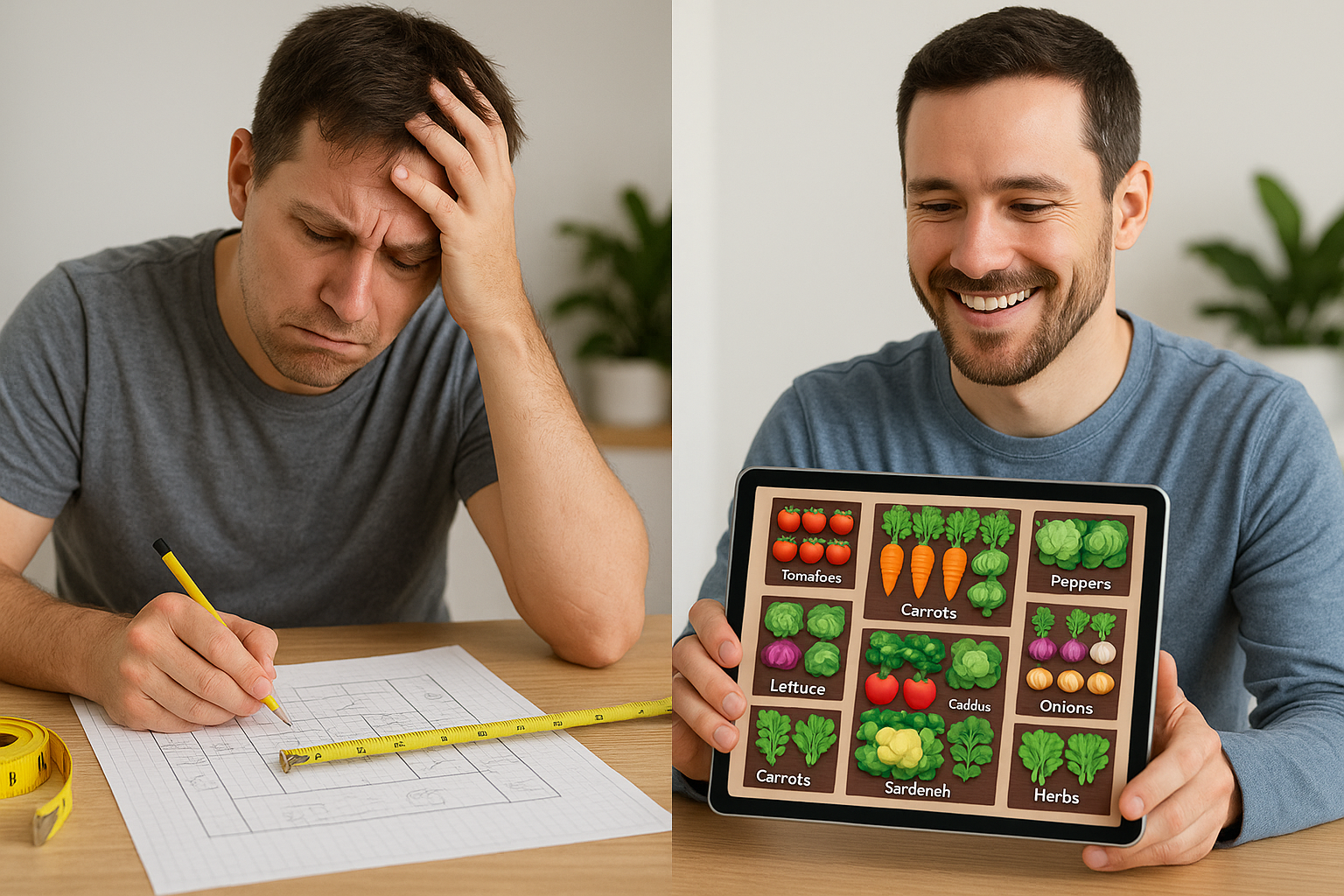
Planning a garden used to mean sketching on graph paper, measuring with a tape measure, and hoping you got the spacing right. Will those tomatoes have enough room? Can you fit in that extra row of lettuce? Are you planting at the right time for your climate?
AI garden planners have transformed this tedious process into something remarkably simple: describe your space and goals, and watch as artificial intelligence generates optimized garden layouts tailored specifically to your location, climate, and preferences.
Whether you’re planning your first vegetable garden or you’re a seasoned grower looking to maximize yields, AI garden planning tools deliver results that would take hours of manual planning—in just minutes.
Last Updated: November 2025 | Reading Time: 18 minutes | Expertise Level: Beginner to Advanced
Table of Contents
- What Is an AI Garden Planner?
- How AI Garden Planners Work
- Top 8 Benefits
- Best AI Garden Planners Compared (2026)
- Complete Step-by-Step Guide
- Essential Features Checklist
- 6 Strategies to Maximize Harvest
- 8 Costly Mistakes AI Prevents
- FAQ (12 Common Questions)
- Get Started Free
What Is an AI Garden Planner?
An AI garden planner is smart software that uses artificial intelligence to design optimized garden layouts based on your specific conditions and goals. Unlike traditional garden planning tools that require manual placement of every plant, AI planners analyze thousands of variables to generate expert-level designs instantly.
What Makes It “AI-Powered”?
Traditional garden planning software gives you a blank canvas and a library of plants—you do all the thinking. AI garden planners are fundamentally different:
Traditional Garden Planner:
- You manually place each plant
- You calculate spacing yourself
- You research companion planting
- You figure out planting dates
- Takes 2-4 hours for basic layout
AI Garden Planner:
- AI suggests optimal plant placement
- Automatic spacing calculations
- Built-in companion planting knowledge
- Personalized planting calendar
- Takes 5-15 minutes for complete plan
Key Capabilities of AI Garden Planning
Modern AI garden planners can:
- Analyze Your Climate Zone - Automatically adjust recommendations for your USDA hardiness zone and frost dates
- Optimize Plant Spacing - Calculate exact spacing for healthy growth and maximum yields
- Suggest Companion Plants - Recommend beneficial plant pairings that improve growth and pest resistance
- Create Planting Schedules - Generate personalized calendars showing when to plant, transplant, and harvest
- Track Crop Rotation - Plan multi-year rotations to prevent soil depletion and disease
- Visualize Your Garden - Show realistic layouts before you break ground
- Calculate Harvest Windows - Predict when you’ll be harvesting each crop
- Adjust for Space Constraints - Maximize production in small spaces through intensive planting techniques
How AI Garden Planners Work
Understanding the technology helps you use these tools more effectively.
The AI Planning Process
Step 1: Data Input
You provide basic information:
- Garden dimensions (length and width)
- Location/zip code (for climate data)
- Sun exposure (full sun, partial shade, etc.)
- Garden type (raised beds, in-ground, containers)
- What you want to grow
Step 2: AI Analysis
The software processes your inputs using:
- Climate databases - Cross-references your location with optimal planting dates
- Plant compatibility algorithms - Identifies beneficial and harmful plant combinations
- Spacing optimization - Calculates ideal spacing for each plant type
- Growth pattern modeling - Predicts mature plant sizes and shadows
- Succession planting logic - Sequences crops for continuous harvests
Step 3: Layout Generation
AI creates optimized layouts considering:
- Square footage efficiency
- Light requirements (tall plants won’t shade short ones)
- Companion planting benefits
- Access paths for maintenance
- Water and nutrient needs
- Harvest timing
Step 4: Personalized Calendar
The system generates schedules showing:
- Indoor seed starting dates
- Transplant windows
- Direct sowing dates
- Expected harvest periods
- Succession planting reminders
Machine Learning Improvements
Advanced AI garden planners learn from:
- Millions of successful garden layouts
- Regional growing data
- User feedback and harvest results
- Scientific companion planting studies
- Climate trend analysis
This means recommendations improve over time, incorporating the latest research and real-world growing data.
Top Benefits of Using an AI Garden Planner
1. Save Hours of Planning Time
Traditional Planning:
- Research each plant’s spacing requirements
- Calculate how many plants fit
- Figure out companion planting
- Determine planting dates for your area
- Draw and redraw layouts
- Total time: 3-6 hours
AI Planning:
- Enter garden dimensions and preferences
- Review AI-generated layout
- Make minor adjustments
- Total time: 10-20 minutes
Time savings: 2.5-5.5 hours per garden design
2. Maximize Your Harvest (30-50% More Vegetables)
AI garden planners optimize layouts to produce significantly more food from the same space using proven techniques:
Documented Results from AI Planning:
- 30-50% more vegetables through intensive spacing methods
- 2-3x longer harvest seasons with automated succession planting
- 20-30% healthier plants from strategic companion planting
- Up to 40% fewer pest problems from beneficial plant arrangements
- Double or triple harvests per season in the same beds
The Science: AI planners apply square-foot gardening principles, Mel Bartholomew’s intensive spacing research, and companion planting studies from universities like Cornell and UC Davis to maximize every square inch of your garden.
Real-World Example: A 4x8 raised bed (32 square feet) planned manually might accommodate 12-15 plant varieties producing about 40-60 pounds of vegetables per season. An AI planner could optimize the same space for 18-22 plant varieties with succession planting, yielding 70-95 pounds—nearly double the harvest using intensive methods, companion plantings, and vertical growing strategies.
Try It Yourself: Upload a photo of your garden space to YardRevision and see how AI can optimize your layout in under 2 minutes. Start designing free →
3. Eliminate Costly Mistakes
Common gardening mistakes that AI prevents:
Overcrowding ($50-$150 loss):
- Planting too close reduces yields
- Creates disease and pest problems
- AI calculates exact spacing every time
Wrong Planting Times ($30-$100 loss):
- Seeds planted too early fail to germinate
- Transplants set out too early die in frost
- AI knows your exact frost dates and ideal windows
Poor Companion Choices ($40-$200 loss):
- Some plants inhibit each other’s growth
- Wrong neighbors attract pests
- AI recommends only beneficial pairings
Inefficient Layout ($100-$300 lost potential):
- Wasted space reduces harvest
- Poor planning requires replanting
- AI maximizes every square foot
4. Perfect for Beginners
Never gardened before? AI garden planners eliminate the knowledge gap:
- No need to memorize plant spacing
- Built-in companion planting expertise
- Automatic climate adjustments
- Beginner-friendly plant suggestions
- Visual layouts you can follow exactly
- Step-by-step planting instructions
Start with zero experience and create expert-level garden plans immediately.
5. Grow More Variety
AI helps you fit more plant types in limited space:
- Strategic interplanting - Fast-growing crops between slow growers
- Vertical optimization - Climbing plants don’t waste ground space
- Succession sequences - Replant as early crops finish
- Space-efficient varieties - Recommendations for compact cultivars
Example: An AI planner might design a 10x10 garden with 15-20 different vegetables, while manual planning typically results in just 6-8 varieties in the same space.
6. Reduce Garden Maintenance
Smart layouts mean less work:
Fewer Weeds:
- Dense planting shades out weed growth
- Less bare soil for weeds to colonize
Less Watering:
- Group plants by water needs
- Shade-casting plants reduce evaporation
Natural Pest Control:
- Companion plants repel pests organically
- Diverse plantings confuse pest insects
Easier Access:
- Optimized paths for comfortable reach
- No trampling your plants to harvest
7. Plan Multi-Season Gardens
AI garden planners excel at succession planting:
- Spring crops - Lettuce, peas, spinach
- Summer replacements - Tomatoes, peppers, beans
- Fall plantings - Kale, carrots, radishes
- Winter harvests - Cold-hardy greens in mild climates
Get three or four harvests from the same bed by following AI succession schedules.
8. Track Crop Rotation Automatically
Prevent disease and soil depletion with multi-year rotation plans:
- Year 1: Tomatoes in Bed A
- Year 2: Legumes in Bed A (nitrogen-fixing)
- Year 3: Leafy greens in Bed A (nitrogen-loving)
- Year 4: Root vegetables in Bed A
- Year 5: Back to tomatoes
AI remembers what you planted where and rotates crops scientifically.
Best AI Garden Planners in 2026
Quick Comparison Table:
| Tool | Best For | Price | AI Features | Mobile App | Rating |
|---|---|---|---|---|---|
| YardRevision | Visual design | Free tier | ⭐⭐⭐⭐⭐ | Web | 4.8/5 |
| GrowVeg | Vegetable gardens | $29/yr | ⭐⭐⭐ | Web | 4.6/5 |
| Gardenly AI | Beginners | Free/Premium | ⭐⭐⭐⭐⭐ | Yes | 4.7/5 |
| Almanac | All-around | $29/yr | ⭐⭐⭐⭐ | Web | 4.5/5 |
| Seed to Spoon | Mobile users | Free/Ads | ⭐⭐⭐⭐ | Yes | 4.4/5 |
1. YardRevision AI Garden Planner (Best for Visual Design)
Type: Web-based AI visualization tool
Best For: Seeing your garden design come to life
Key Features:
- Upload photos of your garden space
- Describe your vision (vegetable garden, flower beds, mixed use)
- AI generates photorealistic visualizations
- Experiment with different layouts instantly
- See mature garden appearance
Pricing: Free tier available
Pros:
- Instant photorealistic previews
- No learning curve
- Perfect for planning ornamental and edible gardens
- Great for communicating plans to family/helpers
- Visualize before you dig
Cons:
- More focused on visualization than detailed planting schedules
- Won’t provide variety-specific recommendations
Best Use Case: Creating beautiful garden layouts and seeing exactly how your space will look when planted.
⭐ Editor’s Choice: YardRevision stands out for instant photorealistic previews that help homeowners visualize their dream garden before investing in plants and materials. Perfect for both ornamental and edible garden planning.
2. GrowVeg Garden Planner (Best for Vegetable Gardens)
Type: Web-based planning software
Best For: Serious vegetable gardeners maximizing food production
Key Features:
- 250+ vegetable and herb varieties
- 5-year crop rotation tracking
- Succession planting scheduler
- Custom planting reminders
- Print garden plans and labels
Pricing: $29/year (free 7-day trial)
Pros:
- Extensive vegetable database
- Excellent for food gardens
- Crop rotation planning
- Email planting reminders
- Works on all devices
Cons:
- Annual subscription required
- Less useful for ornamental gardens
- Limited AI features (more traditional tool)
Best Use Case: Dedicated vegetable gardeners planning productive food gardens with multi-year rotations.
3. Gardenly AI (Best for Beginners)
Type: AI-powered mobile and web app
Best For: New gardeners getting started
Key Features:
- Instant design generation from photos
- Climate-specific recommendations
- Step-by-step implementation guides
- Plant care reminders
- AI-powered plant identification
Pricing: Free basic plan, premium features available
Pros:
- Extremely beginner-friendly
- AI analyzes your specific conditions
- Mobile app convenience
- Visual and intuitive
- Great plant database
Cons:
- Less detailed than specialized tools
- Premium features cost extra
- Better for small gardens
Best Use Case: First-time gardeners wanting AI guidance through the entire process.
4. Almanac Garden Planner (Best All-Around)
Type: Web-based planner with AI features
Best For: Comprehensive garden planning with traditional and AI tools
Key Features:
- Personalized planting calendars
- 130+ vegetables, fruits, and herbs
- Companion planting guide
- Frost date integration
- Square foot gardening support
Pricing: Free basic tools, Garden Planner $29/year
Pros:
- Trusted Farmers’ Almanac brand
- Climate-specific calendars
- Good balance of AI and manual control
- Extensive growing guides
- Reasonable price
Cons:
- Some advanced features require subscription
- Learning curve steeper than pure AI tools
- Interface less modern than newer apps
Best Use Case: Gardeners wanting proven expertise combined with modern planning tools.
5. AI Garden Planner by Seed to Spoon (Best Mobile App)
Type: Mobile-first AI garden app
Best For: Planning and managing gardens from your phone
Key Features:
- AI-powered planting recommendations
- Carrot points gamification system
- Extensive growing guides
- Planting date alerts
- Community features
Pricing: Free with ads, premium subscription removes ads
Pros:
- Excellent mobile interface
- Fun gamification elements
- Strong community
- Regular updates
- Free tier very functional
Cons:
- Mobile-only (no desktop version)
- Ads in free version
- Less sophisticated layout tools
Best Use Case: Mobile gardeners who want AI assistance on-the-go with community support.
How to Use an AI Garden Planner: Step-by-Step
Let’s walk through creating your first AI garden plan from start to finish.
Phase 1: Preparation (Before Using the Tool)
1. Measure Your Garden Space
Get accurate dimensions:
- Length and width of planting areas
- Raised bed dimensions
- Container sizes
- Available square footage
Pro tip: Sketch your space on paper with measurements—you’ll reference this multiple times.
2. Assess Sun Exposure
Observe your space throughout the day:
- Full sun: 6+ hours direct sun (most vegetables)
- Partial sun: 3-6 hours (leafy greens, herbs)
- Shade: <3 hours (limited options)
Mark sunny and shady areas on your sketch.
3. Determine Your Climate Zone
Find your:
- USDA Hardiness Zone (usda.gov)
- Last spring frost date
- First fall frost date
- Growing season length
Most AI tools auto-detect this from your zip code.
4. List Your Goals
Be specific about what you want:
- Which vegetables/herbs do you eat most?
- Do you want to preserve food (canning, freezing)?
- How much time can you dedicate to maintenance?
- Any dietary focuses (salad greens, tomatoes for sauce)?
5. Check Your Resources
Consider:
- Available water source
- Soil quality (test if possible)
- Budget for seeds/plants
- Time for planting and maintenance
Phase 2: Using the AI Garden Planner
Step 1: Create Your Garden Layout
In your chosen AI planner:
-
Start new garden
- Enter garden dimensions
- Specify garden type (raised bed, in-ground, containers)
- Add any permanent features (paths, structures)
-
Input your location
- Enter zip code or city
- AI fetches your climate data automatically
- Verify frost dates are correct
-
Choose your plants
- Browse recommended vegetables
- Select what you want to grow
- Prioritize high-value crops
Pro tip: Start with 8-12 plant types for your first season. Expand in future years.
Step 2: Let AI Optimize Your Layout
Click “Generate Layout” or “Optimize Plan” and watch the AI:
-
Calculate spacing
- Places plants at optimal distances
- Accounts for mature sizes
- Maximizes space efficiency
-
Arrange companion plants
- Groups beneficial combinations
- Separates incompatible plants
- Creates natural pest barriers
-
Optimize for sunlight
- Places tall plants on north side (northern hemisphere)
- Prevents shading of shorter plants
- Maximizes sun exposure
-
Design access paths
- Ensures you can reach all plants
- Prevents trampling
- Allows for comfortable harvest
Step 3: Review and Customize
Examine the AI-generated plan:
Check these elements:
- ✓ All desired plants included
- ✓ Spacing looks reasonable
- ✓ Path access seems practical
- ✓ Plant heights make sense
Make adjustments:
- Swap plant positions if preferred
- Adjust quantities up or down
- Add or remove varieties
- Modify spacing if needed
Most AI planners allow manual tweaking after initial generation.
Step 4: Generate Your Planting Calendar
Have the AI create your personalized schedule:
-
Review key dates
- Indoor seed starting dates
- Direct sowing windows
- Transplant timing
- Expected harvest periods
-
Set reminders
- Enable email/app notifications
- Mark dates in your personal calendar
- Create checklist for each planting window
-
Plan successions
- Schedule second plantings of quick crops
- Plan fall replacements for spring crops
- Maximize continuous harvests
Step 5: Save and Export Your Plan
Save your plan for future reference:
- Print physical copies for garden reference
- Export to PDF for archiving
- Save in app for year-round access
- Screenshot for quick phone reference
Create labels and markers:
- Print plant labels from your plan
- Create garden markers
- Make a plant map for harvest tracking
Phase 3: Implementation
Week Before Planting:
-
Prepare beds
- Till or loosen soil
- Add compost and amendments
- Create raised beds if needed
-
Gather supplies
- Order seeds (6-8 weeks before planting)
- Buy transplants as planting dates approach
- Get stakes, trellises, row covers
-
Install permanent features
- Set up irrigation
- Install trellises and supports
- Add pathways or edging
Planting Day:
-
Follow your AI layout exactly
- Measure spacing per plan
- Mark plant positions with stakes
- Plant according to schedule
-
Label everything
- Mark varieties clearly
- Note planting dates
- Track any variations from plan
-
Record in app
- Check off planted items
- Log actual planting dates
- Upload progress photos
Ongoing Management:
-
Follow AI care reminders
- Watering schedules
- Fertilizing recommendations
- Harvest windows
-
Track results
- Note what grows well
- Record issues and failures
- Measure harvest quantities
-
Update for next year
- AI learns from your inputs
- Improves future recommendations
- Better rotation planning
Essential Features in AI Garden Planning Software
When choosing an AI garden planner, look for these must-have features:
Core Features (Essential)
1. Climate Zone Integration
- Automatic detection from zip code
- Frost date calculations
- Regional growing calendars
- Weather pattern awareness
Why it matters: Plants recommended for California won’t work in Vermont. Climate integration ensures appropriate recommendations.
2. Proper Plant Spacing
- Species-specific spacing calculations
- Intensive vs. traditional spacing options
- Mature size predictions
- Square foot garden support
Why it matters: Incorrect spacing is the #1 beginner mistake, reducing yields by 30-50%.
3. Companion Planting Database
- Beneficial plant pairings
- Incompatible combination warnings
- Pest-repelling combinations
- Growth-enhancing groupings
Why it matters: Strategic companions can increase yields 20-30% and reduce pest problems naturally.
4. Personalized Planting Calendar
- Location-specific start dates
- Indoor vs. outdoor timing
- Succession planting schedules
- Harvest window predictions
Why it matters: Planting at the right time is crucial—even a week can mean success vs. failure.
Advanced Features (Highly Valuable)
5. Crop Rotation Planning
- Multi-year rotation sequences
- Disease prevention strategies
- Soil nutrition balancing
- Plant family tracking
Why it matters: Prevents soil-borne diseases and nutrient depletion, maintaining garden health long-term.
6. Succession Planting
- Automated replanting schedules
- Multiple harvest windows
- Season extension planning
- Continuous production
Why it matters: Triples or quadruples production from the same space over a single season.
7. Visual Layout Tools
- Drag-and-drop interface
- 3D or photorealistic previews
- Print-friendly garden maps
- Mobile-responsive design
Why it matters: Visual plans are easier to follow and help spot design issues before planting.
8. Harvest Tracking
- Expected yield calculations
- Harvest date predictions
- Production tracking
- Year-over-year comparisons
Why it matters: Helps you plan preserving, measure success, and improve future gardens.
Premium Features (Nice to Have)
9. Integration with Shopping
- Seed recommendations
- Quantity calculations
- Shopping lists
- Supplier links
10. Community Features
- Share plans with others
- Browse community gardens
- Regional tips and advice
- Success stories
11. Photo Documentation
- Before/after comparisons
- Growth tracking
- Problem diagnosis
- Success celebration
12. Mobile App Sync
- Access plans anywhere
- Garden reminders on phone
- In-garden reference
- Cross-device sync
Maximizing Harvest with AI Garden Planning
AI tools are most powerful when you understand the strategies they’re implementing. These six proven techniques are how AI planners increase your yield by 30-50%:
Pro Tip: Combine 3-4 of these strategies in a single garden bed to see dramatic harvest improvements. Most AI planners automatically apply all six techniques when generating layouts.
Strategy 1: Intensive Spacing
AI planners use intensive spacing methods to fit 30-50% more plants:
Traditional Spacing:
- Tomatoes: 36" apart = 2.25 plants per 10 sq ft
- Lettuce: 12" apart = 6.25 plants per 10 sq ft
Intensive Spacing (AI Recommended):
- Tomatoes: 24" apart = 4 plants per 10 sq ft
- Lettuce: 8" apart = 14 plants per 10 sq ft
Keys to success:
- Rich, fertile soil (compost and amendments)
- Consistent watering (drip irrigation ideal)
- Adequate feeding (organic fertilizers)
- Good air circulation (prevents disease)
Strategy 2: Vertical Growing
AI suggests vertical solutions for vining plants:
Space Savings:
- Pole beans: 1 sq ft per plant vs. 4 sq ft for bush beans
- Cucumbers: 2 sq ft vertical vs. 6-9 sq ft sprawling
- Tomatoes: 4 sq ft staked vs. 9 sq ft caged
Vertical growing benefits:
- 2-3x more plants in same space
- Easier harvesting (waist height)
- Better air circulation (less disease)
- Cleaner fruits (off ground)
Strategy 3: Succession Planting
AI creates succession schedules automatically:
Example Timeline (Spring-Summer-Fall):
Bed A:
- March: Plant lettuce and spinach
- May: Lettuce finished, replace with beans
- July: Beans harvested, plant fall carrots
- October: Harvest carrots before first frost
Result: Three crops from one bed vs. just one without succession planning.
Strategy 4: Companion Planting Optimization
AI knows which plants boost each other:
Classic Combinations:
-
Three Sisters (Native American method)
- Corn (structure)
- Beans (nitrogen-fixing)
- Squash (ground cover, weed suppression)
-
Tomato Companions
- Basil (improves flavor, repels insects)
- Marigolds (pest deterrent)
- Carrots (different root depths)
-
Pest Control Pairings
- Nasturtiums near squash (aphid trap crop)
- Onions near carrots (repels carrot flies)
- Dill near cucumbers (attracts beneficial insects)
Strategy 5: Interplanting Fast and Slow Crops
AI strategically combines:
Fast Growers (30-45 days):
- Radishes
- Lettuce
- Arugula
- Spinach
Slow Growers (70-100 days):
- Tomatoes
- Peppers
- Eggplant
- Winter squash
Strategy: Plant fast crops between slow crops. Harvest quick crops before slow ones need the space.
Example: Radishes planted between tomato transplants in May are harvested by June, just as tomatoes begin spreading.
Strategy 6: Season Extension
AI plans for extended harvests:
Spring Start:
- Start indoors 6-8 weeks early
- Use row covers for frost protection
- Transplant under cloches
- Gain 2-4 extra weeks
Fall Extension:
- Plant cold-hardy varieties
- Use cold frames
- Cover with row fabric
- Harvest through early winter
Year-round (mild climates):
- AI sequences cool-season crops
- Continuous harvest calendar
- Never fallow beds
Common Garden Planning Mistakes AI Helps You Avoid
Mistake 1: Overcrowding Plants
The Problem:
Planting too close together leads to:
- Reduced yields (competition for nutrients)
- Increased disease (poor air circulation)
- Difficult harvesting (can’t reach plants)
- Weak, spindly growth
How AI Fixes It:
- Calculates exact spacing for each variety
- Accounts for mature plant size
- Optimizes density for intensive methods
- Warns if adjustments are too tight
Human Cost: $50-$150 in reduced harvest and replanting
Mistake 2: Planting at the Wrong Time
The Problem:
- Seeds planted too early rot in cold soil
- Transplants set out too early die in frost
- Late plantings don’t mature before fall
- Wrong succession timing leaves gaps
How AI Fixes It:
- Knows your exact frost dates
- Recommends optimal planting windows
- Schedules succession plantings automatically
- Sends timely reminders
Human Cost: $30-$100 in wasted seeds and transplants
Mistake 3: Ignoring Sun Requirements
The Problem:
- Sun-loving tomatoes in shade = few fruits
- Shade-preferring lettuce in full sun = bitter, bolts
- Tall plants shading shorter ones
- Wasted space in unused shady areas
How AI Fixes It:
- Places plants according to light needs
- Positions tall plants to avoid shading
- Suggests shade-tolerant crops for dim areas
- Maximizes productive use of all zones
Human Cost: $40-$200 in poor yields and replanting
Mistake 4: Poor Companion Choices
The Problem:
Some plants inhibit each other:
- Beans + onions = stunted bean growth
- Tomatoes + brassicas = nutrient competition
- Fennel + most vegetables = allelopathic inhibition
How AI Fixes It:
- Database of beneficial and harmful pairings
- Automatically separates incompatible plants
- Groups beneficial companions together
- Maximizes pest control and growth benefits
Human Cost: $30-$150 in reduced yields
Mistake 5: Inefficient Space Use
The Problem:
- Large gaps between plants
- Wasted corner space
- Wide, unnecessary paths
- Single-crop beds with no diversity
How AI Fixes It:
- Intensive spacing calculations
- Corner and edge optimization
- Minimal path planning
- Interplanting strategies
Human Cost: $100-$300 in lost production potential
Mistake 6: No Crop Rotation Plan
The Problem:
Planting same families in same spots causes:
- Soil nutrient depletion
- Disease buildup in soil
- Increased pest problems
- Declining yields over years
How AI Fixes It:
- Tracks plant families automatically
- Creates 3-5 year rotation schedules
- Prevents same-family replanting
- Balances soil nutrition
Human Cost: $100-$500 over multiple years in soil amendments and pest control
Mistake 7: Forgetting Succession Planting
The Problem:
- Harvest everything at once
- Empty beds mid-season
- Gaps in production
- Wasted growing season
How AI Fixes It:
- Automatic succession schedules
- Replanting reminders
- Continuous harvest planning
- Season-long productivity
Human Cost: $200-$600 in lost harvest potential
Mistake 8: Ignoring Access and Maintenance
The Problem:
- Can’t reach plants without trampling
- No space for weeding or harvesting
- Damaged plants from foot traffic
- Difficult maintenance leads to neglect
How AI Fixes It:
- Optimizes path placement
- Ensures reachable planting areas
- Practical maintenance access
- Ergonomic design
Human Cost: $50-$200 in damaged plants and reduced care
Frequently Asked Questions
What is an AI garden planner and how is it different from regular garden planning software?
Simple answer: An AI garden planner is software that automatically designs your garden layout for you. You tell it what you want to grow and your location, and it instantly creates an optimized plan showing exactly where to place each plant.
Detailed explanation: An AI garden planner uses artificial intelligence to automatically generate optimized garden layouts based on your specific conditions, while traditional software requires you to manually place every plant yourself.
Key Differences:
Traditional Garden Planner:
- You place each plant manually
- You calculate spacing yourself
- Research required for companion planting
- 2-4 hours to create basic plan
AI Garden Planner:
- AI suggests optimal layout automatically
- Automatic spacing calculations
- Built-in companion planting knowledge
- 10-20 minutes for complete plan
Bottom line: AI garden planners do the expert thinking for you, while traditional tools just give you the canvas.
Are AI garden planners accurate for my specific climate?
Yes, AI garden planners are highly accurate for your climate when you enter your correct zip code or location. They automatically look up your area’s frost dates, temperature patterns, and growing season to give you perfectly timed planting schedules.
How they work: Modern AI garden planners integrate:
- USDA Hardiness Zone databases
- Frost date records for your specific area
- Average temperature patterns
- Precipitation data
- Growing season length
Most tools auto-detect this from your zip code. Always verify the frost dates shown match your local extension office recommendations.
Accuracy note: AI planners are highly accurate for general timing (within 1-2 weeks), but local microclimates can vary. Adjust planting dates slightly based on your specific property conditions.
Can AI garden planners help with companion planting?
Yes, AI garden planners excel at companion planting. They automatically know which plants grow well together and which should be kept apart. For example, AI will place tomatoes next to basil (which repels pests and improves flavor) but keep beans away from onions (which stunt bean growth).
What they track: AI garden planners have extensive databases of:
Beneficial Companions:
- Plants that improve each other’s growth
- Pest-repelling combinations
- Pollinator-attracting pairings
- Nutrient-complementary plants
Plants to Separate:
- Allelopathic plants (chemical inhibition)
- Competing nutrient needs
- Pest-attracting combinations
Example: An AI planner knows to place basil near tomatoes (improves flavor, repels aphids) but separate beans from onions (inhibits bean growth).
This built-in expertise would take years to learn manually.
How much does an AI garden planner cost?
Pricing varies widely, with options from free to $50/year:
Free Options:
- YardRevision (free tier for visual planning)
- Gardenly (free basic features)
- Seed to Spoon (free with ads)
Budget Options ($20-35/year):
- GrowVeg ($29/year)
- Almanac Garden Planner ($29/year)
Premium Options ($40-60/year):
- Professional tools with advanced features
- Larger garden support
- More plant varieties
Best value: Most gardeners find $25-30/year tools offer the best balance of features and affordability.
Can beginners use AI garden planners effectively?
Yes, AI garden planners are perfect for beginners—even if you’ve never gardened before. You don’t need any gardening knowledge. Just enter your garden size, pick what you want to grow from suggestions, and the AI creates a complete plan with spacing, timing, and care instructions.
Why beginners love them: AI garden planners are actually IDEAL for beginners because they:
- Require no gardening knowledge
- Prevent common beginner mistakes
- Provide step-by-step guidance
- Include educational resources
- Give specific rather than general advice
Learning curve:
- 5-10 minutes to understand interface
- 15-30 minutes to create first plan
- Immediate expert-level layouts
Compare this to traditional learning:
- Months reading garden books
- Years of trial and error
- Steep learning curve for spacing, timing, companions
Bottom line: AI garden planners let beginners achieve expert results from day one.
Do AI garden planners work for small spaces?
Yes, AI garden planners are actually BEST for small spaces. They’re designed to fit as many plants as possible into limited areas. A 4x8 raised bed that might hold 8-12 varieties manually can fit 15-20 varieties with AI planning, plus you’ll get multiple harvests through succession planting.
Perfect for: AI planners EXCEL at maximizing small spaces. In fact, small gardens benefit most from AI optimization because every square inch matters.
AI advantages for small gardens:
- Intensive spacing methods (fit 30-50% more plants)
- Vertical growing strategies (trellises, stakes, cages)
- Interplanting (fast crops between slow ones)
- Succession planting (multiple harvests from same space)
- Container optimization (even balcony gardens)
Example: A 4x8 raised bed (32 sq ft):
- Manual planning: 8-12 plant types, single harvest
- AI planning: 15-20 plant types, 2-3 succession crops
Small space gardeners see the biggest gains from AI planning.
Can I use an AI garden planner for flower gardens, or is it just for vegetables?
Most AI garden planners focus on vegetable gardens, but some handle ornamental plants too.
Vegetable-Focused Tools:
- GrowVeg (vegetables and herbs only)
- Seed to Spoon (primarily edibles)
- Almanac Garden Planner (vegetable focus)
Mixed-Use Tools:
- YardRevision (excellent for flower and mixed gardens)
- Planner 5D (ornamental and edible)
- Gardenly (supports flowers and vegetables)
For flower gardens specifically:
- Use YardRevision for visual layout and design
- Consider traditional tools with larger ornamental libraries
- Look for “landscape design” AI rather than “garden planner” AI
Best approach for mixed gardens: Use YardRevision for overall design visualization, then supplement with vegetable-focused planners for edible bed details.
How long does it take to create a garden plan with AI?
Typical timeline:
Preparation (5-10 minutes):
- Measure your garden space
- Determine sun exposure
- List what you want to grow
AI Planning (10-20 minutes):
- Enter garden dimensions
- Input location/climate
- Select plants from recommendations
- Review AI-generated layout
- Make minor adjustments
- Generate planting calendar
Total time: 15-30 minutes for complete plan
Compare to traditional planning:
- Research: 1-2 hours
- Layout design: 1-2 hours
- Companion planting research: 30-60 minutes
- Calendar creation: 30-60 minutes
- Total: 3-6 hours
Time savings: 2.5-5.5 hours per garden plan
Will AI garden planners tell me when to plant?
Yes—personalized planting calendars are a core feature of AI garden planners.
Most tools provide:
Indoor Seed Starting Dates:
- When to start seeds indoors (6-8 weeks before transplant)
- Transplant-safe dates (after frost danger)
Direct Sowing Dates:
- Optimal outdoor planting windows
- Succession planting schedules
- Fall planting timing
Harvest Predictions:
- Expected harvest windows
- Days to maturity countdown
- When to prepare for preserving
Reminders:
- Email notifications at planting time
- App push notifications
- Weekly task lists
The calendar is customized to your exact location using frost dates and climate data.
Can I track multiple gardens or years with AI garden planners?
Yes, most AI garden planners support:
Multiple Gardens:
- Separate plans for different beds
- Front yard vs. backyard
- Vegetable garden + herb garden
- Home garden + community plot
Year-Over-Year Tracking:
- Archive previous years’ plans
- Crop rotation planning (3-5 years)
- Performance comparison
- Harvest tracking across seasons
Example: GrowVeg offers 5-year crop rotation tracking, automatically suggesting which plants to rotate where based on your history.
Benefits:
- Never repeat same plants in same beds
- Learn what grows best for you
- Improve yields year after year
- Prevent soil depletion and disease
Do I need to download software or can I use AI garden planners online?
Most modern AI garden planners are web-based (no download required), with mobile apps as optional extras.
Platform Availability:
Web-Based Only:
- YardRevision (browser-based)
- GrowVeg (web interface)
- Almanac Garden Planner (online tool)
Web + Mobile Apps:
- Gardenly (iOS, Android, web)
- Seed to Spoon (mobile-first, also web)
Advantages of web-based:
- No installation required
- Works on any device
- Automatic updates
- Access from anywhere
- Cross-device sync
Bottom line: You can start planning immediately from any computer or phone browser, no downloads needed.
Ready to Design Your Perfect Garden?
AI garden planners have revolutionized how we approach garden design—taking a process that once required hours of research, complex calculations, and years of experience, and condensing it into a simple, 15-minute workflow that produces expert-level results.
Whether you’re planning your first vegetable garden or you’re a seasoned grower looking to maximize yields, AI garden planning delivers:
- Optimized layouts that produce 30-50% more harvest
- Personalized schedules that eliminate planting guesswork
- Expert companion planting without years of study
- Succession planning for continuous harvests
- Multi-year crop rotation to maintain soil health
The best part? Most of these tools are free or cost less than a single package of tomato seeds.
Your Next Steps
For Beginners:
- Start with YardRevision’s free visual planner to see possibilities
- Upload photos of your garden space
- Describe your vision (vegetables, flowers, or mixed)
- Review AI-generated layouts
- Share with family to build excitement
For Experienced Gardeners:
- Use YardRevision for visual concepts and layout ideas
- Export your favorite design
- Supplement with GrowVeg or Almanac for detailed planting schedules
- Implement crop rotation strategies
- Track results year-over-year
Start Planning Now:
🌱 Free AI Garden Design in Under 2 Minutes
Transform your outdoor space with YardRevision’s AI-powered garden planner:
- Upload a photo of your garden area
- Describe what you want to grow
- Get instant photorealistic visualizations
- Try unlimited design variations
- No credit card required
Your most abundant harvest is just 15 minutes of planning away.
Take Your Garden Further
Related Resources:
- How to Design Your Backyard: Complete Guide with AI - Comprehensive backyard planning strategies
- Landscape AI: Transform Your Yard with Visualization - See your entire outdoor space redesigned
- Free Landscape Design Software Compared - AI vs traditional design tools
Join the Community:
- Share your AI-designed garden on social media with #YardRevision
- Get gardening tips and seasonal reminders
- See inspiring before-and-after transformations
- Connect with fellow AI gardeners
Questions? Drop a comment below or email our team at support@yardrevision.com
About the Author
The YardRevision Team combines expertise in landscape design, horticulture, and AI technology to help gardeners of all skill levels create thriving outdoor spaces. We’ve tested dozens of AI garden planning tools to provide unbiased, practical recommendations based on real-world performance. Our mission is to make expert-level garden design accessible to everyone through innovative AI visualization technology.