
Free Landscape AI Software
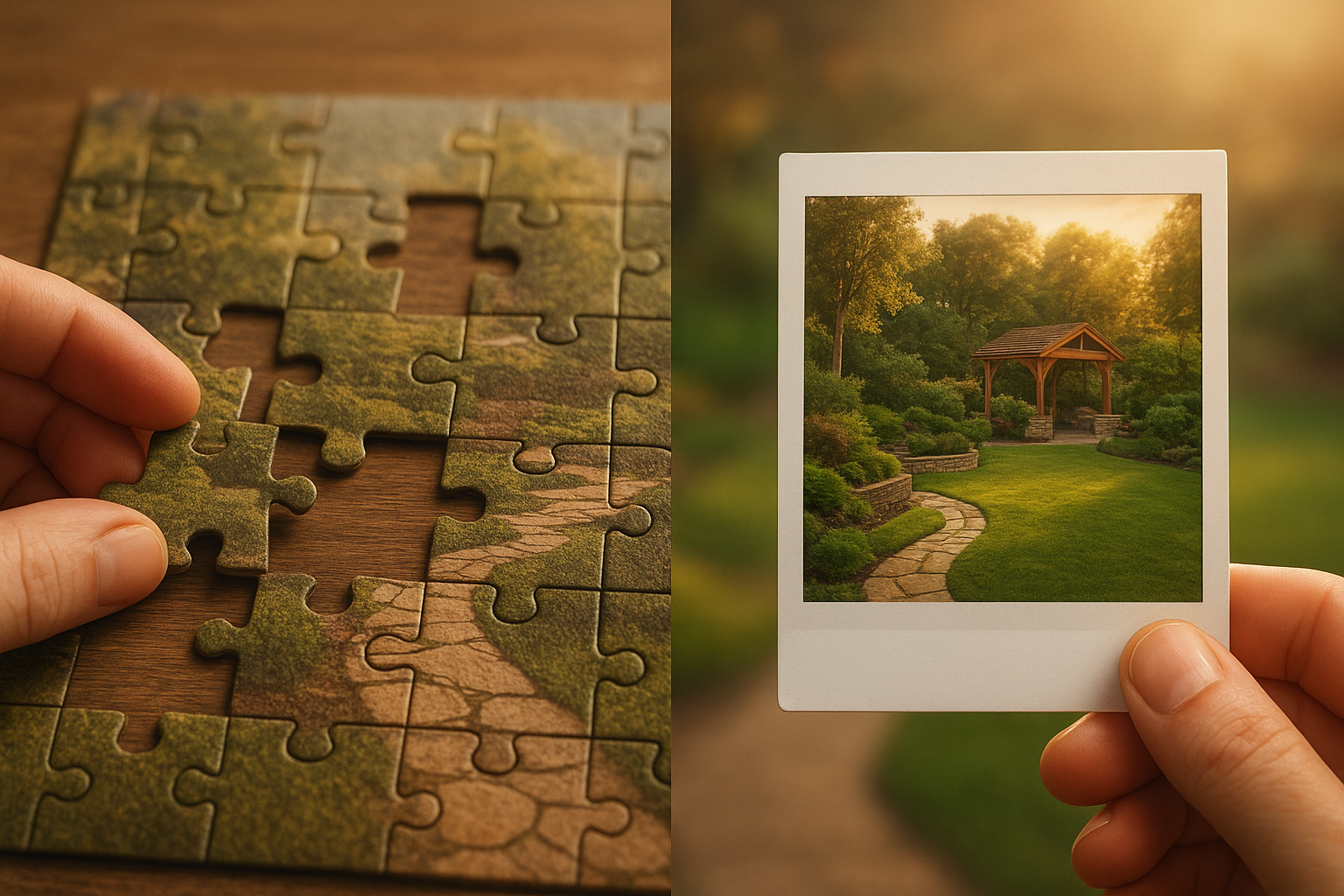
Free Landscape Design Software: AI vs Traditional Tools in 2025
Quick Answer: For instant photorealistic concepts with zero learning curve, use AI tools like YardRevision. For precise measurements and complete design control, choose traditional software like Planner 5D. Best results? Use both approaches together.
Landscaping your property shouldn’t require a second mortgage just to visualize your ideas. Whether you’re planning a complete backyard overhaul or a simple garden refresh, the right design software can save you thousands in costly mistakes—and you don’t need to spend a dime to get started.
But with dozens of free landscape design software options available in 2025, how do you choose? More importantly, how do the emerging AI-powered landscape design tools compare to traditional design software that’s been around for years?
In this comprehensive guide, we’ll break down the best free landscape design software options, compare AI versus traditional approaches, and help you determine which solution fits your needs, skill level, and project scope.
Table of Contents
- Understanding Your Options
- Best Traditional Tools (Top 5)
- Best AI Tools (Top 5)
- AI vs Traditional Comparison
- Real-World Scenarios
- Step-by-Step Guides
- Maximizing Free Versions
- FAQ
Understanding Your Free Landscape Design Software Options
The landscape design software market has evolved dramatically. Today, you have two distinct approaches to choose from:
Traditional Landscape Design Software
These are the established tools that landscape professionals and serious DIYers have used for years. They typically feature:
- Drag-and-drop interfaces with libraries of plants, hardscaping elements, and outdoor furniture
- 2D and 3D visualization capabilities
- Manual design control where you place every element yourself
- Learning curves that can range from moderate to steep
- Desktop or web-based platforms
Think of traditional software as giving you a blank canvas and all the tools—but you’re still the artist doing the work.
AI-Powered Landscape Design Tools
These are the new generation of tools leveraging artificial intelligence to streamline the design process:
- Photo upload functionality that transforms your actual property
- Text-to-image generation where you describe your vision and AI creates it
- Instant design iterations in seconds rather than hours
- Minimal learning curve requiring no design experience
- Web and mobile accessibility
AI tools act more like a collaborative designer—you provide the vision, and the AI does the technical execution.
Best Free Traditional Landscape Design Software
Let’s start with the tried-and-true options that don’t cost anything upfront.
1. Planner 5D (Best Overall Traditional Option)
Type: Web and mobile app
Best For: Comprehensive 2D/3D design with extensive object library
Key Features:
- Drag-and-drop interface for easy element placement
- Massive library of plants, outdoor furniture, and hardscaping materials
- 2D floor plan and 3D visualization modes
- Realistic rendering with lighting and textures
- Cross-platform (works on desktop, iOS, Android)
Pros:
- Intuitive interface suitable for beginners
- High-quality 3D renders
- No installation required for web version
- Active community with shared designs for inspiration
Cons:
- Free version has limited features (premium unlocks full library)
- Some rendering features require paid upgrade
- Can be time-consuming to place every element manually
- Steeper learning curve than AI tools
Best Use Cases:
- Detailed planning with precise measurements
- Projects requiring specific plant species
- Multi-phase landscape projects
- When you want complete design control
2. SketchUp Free (Best for Advanced Users)
Type: Web-based 3D modeling
Best For: Users with CAD experience or willing to learn
Key Features:
- Professional-grade 3D modeling capabilities
- Extensive 3D Warehouse with free models
- Import terrain data and property boundaries
- Export designs in various formats
Pros:
- Industry-standard tool used by professionals
- Unlimited creative possibilities
- Free version quite capable
- Huge community and tutorial resources
Cons:
- Significant learning curve
- Not specifically designed for landscaping (more general 3D modeling)
- Takes time to become proficient
- Overkill for simple residential projects
Best Use Cases:
- Complex hardscaping designs (decks, pergolas, retaining walls)
- Users with 3D modeling experience
- Projects requiring technical precision
- Integration with other design workflows
3. Garden Planner by Artifact Interactive
Type: Desktop and online
Best For: Vegetable gardens and plant-focused designs
Key Features:
- Specialized for garden layout planning
- Plant spacing guides and companion planting suggestions
- Growing calendar integration
- Print-friendly garden plans
Pros:
- Purpose-built for gardening
- Simple, focused interface
- Helpful plant information database
- Free trial period (15 days fully functional)
Cons:
- Limited to flat 2D view (no 3D)
- Free version time-limited
- Less suited for hardscaping design
- Basic visualization compared to 3D tools
Best Use Cases:
- Vegetable garden layout
- Flower bed arrangement
- Plant selection and spacing
- Seasonal garden planning
4. SmartDraw (Best for Quick Layouts)
Type: Web-based diagramming tool
Best For: Simple, schematic landscape plans
Key Features:
- Template-based design approach
- Drag-and-drop symbols
- Easy sharing and collaboration
- Integrates with common office tools
Pros:
- Very quick to create basic layouts
- Professional-looking outputs
- No learning curve
- Export to common file formats
Cons:
- Free trial only (7 days)
- More schematic than realistic
- Limited plant library
- Not ideal for visualization
Best Use Cases:
- Contractor communication
- Quick concept sketches
- Property planning documents
- Simple garden bed layouts
5. iScape (Best Mobile App)
Type: iOS and Android mobile app
Best For: AR visualization on mobile devices
Key Features:
- Augmented reality (AR) mode to see designs in real space
- Photo-based design using your actual property photos
- Extensive library of plants and materials
- Before/after visualization
Pros:
- AR feature is impressive and useful
- Good plant selection
- Works directly with phone photos
- User-friendly mobile interface
Cons:
- Free version very limited (watermarked images, restricted features)
- Mobile-only (no desktop version)
- Premium subscription required for full functionality
- Less precise than desktop tools
Best Use Cases:
- Quick mobile visualization
- Augmented reality preview
- Simple plant placement
- On-site design while at garden centers
Best Free AI Landscape Design Software
Now let’s explore the AI-powered alternatives transforming how homeowners approach landscape design.
1. YardRevision (Best Overall AI Solution)
Type: Web-based AI landscape visualization
Best For: Homeowners wanting instant, photorealistic design concepts
Key Features:
- Upload property photos and describe desired changes
- AI generates photorealistic landscape visualizations
- Multiple style options (modern, traditional, tropical, etc.)
- Unlimited design iterations
- No design experience required
Pros:
- Instant results (seconds vs. hours)
- No learning curve—just describe your vision
- Photorealistic previews of actual property
- Perfect for communicating ideas to contractors
- Free tier available
Cons:
- Concepts rather than technical blueprints
- Doesn’t provide precise measurements
- Requires professional translation for implementation
- Limited manual control over specific elements
Best Use Cases:
- Exploring design styles and concepts
- Before/after visualization for decision-making
- Communicating vision to family and contractors
- Budget-conscious homeowners avoiding designer fees
2. Neighborbrite (Best for Climate-Aware Suggestions)
Type: Web-based AI tool
Best For: Location-specific plant recommendations
Key Features:
- AI-powered design suggestions
- Climate and location-based plant optimization
- Tap-to-design interface
- Multiple design style options
Pros:
- Free to use
- Smart plant recommendations for your zone
- Easy to generate multiple concepts
- No account required to start
Cons:
- Less photorealistic than some competitors
- Limited customization options
- Smaller design style library
- Basic visualization quality
Best Use Cases:
- Finding suitable plants for your climate
- Quick design inspiration
- Beginner-friendly exploration
- Regional landscaping ideas
3. Planner 5D AI Design Generator (Hybrid Approach)
Type: AI feature within traditional tool
Best For: Getting AI inspiration with manual control
Key Features:
- AI generates initial layouts based on preferences
- Manual editing after AI generation
- Combines AI speed with traditional control
- 2D and 3D views
Pros:
- Best of both worlds (AI + manual)
- Refine AI suggestions precisely
- Full Planner 5D capabilities
- Good for iterative design
Cons:
- AI features limited in free version
- Still requires some learning curve
- May need premium for best results
- More complex than pure AI tools
Best Use Cases:
- Starting with AI then customizing
- Users wanting some manual control
- Projects needing both speed and precision
- Learning landscape design principles
4. HomeDesigns.AI Landscaping (Best for Multiple Property Views)
Type: Web-based AI tool
Best For: Visualizing multiple areas of your property
Key Features:
- Upload multiple photos of different yard areas
- AI transforms each view
- Style consistency across designs
- Quick generation
Pros:
- Free tier available
- Fast generation speed
- Multiple style options
- Good for full property visualization
Cons:
- Free version has limited generations
- Watermarked outputs in free tier
- Quality varies by input photo
- Subscription required for regular use
Best Use Cases:
- Visualizing entire property
- Front and back yard coordination
- Style consistency planning
- Quick concept generation
5. Rescape AI (Best for Research and Inspiration)
Type: Web-based AI design tool
Best For: Exploring creative landscape possibilities
Key Features:
- AI-powered design suggestions
- Multiple style interpretations
- Text prompt capabilities
- Quick iterations
Pros:
- Good for brainstorming
- Unique design perspectives
- Fast generation
- Minimal input required
Cons:
- Variable output quality
- Limited free usage
- Less photorealistic than alternatives
- Requires subscription for serious use
Best Use Cases:
- Initial concept exploration
- Getting unstuck creatively
- Style research
- Inspiration gathering
AI vs Traditional: Head-to-Head Comparison
Let’s compare these two approaches across key factors:
Quick Comparison Table
| Factor | AI Tools | Traditional Tools | Winner |
|---|---|---|---|
| Speed | 30 seconds - 2 minutes | 2-8 hours | AI |
| Learning Curve | 5-15 minutes | 2-20 hours | AI |
| Design Control | Limited (style-based) | Complete (precise) | Traditional |
| Visual Quality | Consistently photorealistic | Depends on user skill | AI |
| Precision | Conceptual | Exact measurements | Traditional |
| Cost (Free Tier) | Limited generations | Limited features | Tie |
| Best For | Quick concepts, beginners | Detailed plans, pros | Depends |
Speed and Efficiency
Traditional Tools:
- Creating a comprehensive design: 2-8 hours
- Learning the software: 2-10 hours
- Making revisions: 30 minutes to 2 hours
- Total time investment: High
AI Tools:
- Creating initial concepts: 30 seconds to 2 minutes
- Learning the tool: 5-15 minutes
- Making revisions: 30 seconds to 2 minutes
- Total time investment: Minimal
Winner: AI tools by a landslide for speed
Design Control and Precision
Traditional Tools:
- Exact placement of every element
- Precise measurements and spacing
- Full control over plant species
- Detailed hardscaping specifications
- Control level: Complete
AI Tools:
- General style and aesthetic direction
- Approximate layouts and concepts
- Style-based rather than species-specific
- Conceptual rather than technical
- Control level: Limited
Winner: Traditional tools for precision and control
Visual Quality and Realism
Traditional Tools:
- Quality depends on user skill
- Can achieve photorealism with expertise
- Requires significant time investment
- Results vary widely by user ability
AI Tools:
- Consistently photorealistic output
- Quality independent of user skill
- Professional-looking results instantly
- Uniformly high visual standards
Winner: AI tools for consistent quality, traditional tools for customization potential
Learning Curve
Traditional Tools:
- 2-20 hours to basic competency
- Ongoing learning for advanced features
- Reference to tutorials often needed
- Design principles knowledge helpful
AI Tools:
- 5-15 minutes to first design
- Minimal ongoing learning required
- Intuitive interfaces
- No design background needed
Winner: AI tools dramatically easier to learn
Cost Considerations
Traditional Free Tools:
- Truly free options exist but limited
- Full features often require paid versions
- One-time purchases or subscriptions
- Professional versions very expensive
AI Free Tools:
- Free tiers commonly available
- Limited generations in free versions
- Subscription models for unlimited use
- Generally more affordable than traditional
Winner: Tie—both have limited free options
Use Case Suitability
Best for Traditional Tools:
- Technical precision required
- Detailed construction plans needed
- Working with contractors requiring specs
- Multi-phase project planning
- Learning design principles
- Complex hardscaping projects
- Professional or semi-professional use
Best for AI Tools:
- Quick visualization needs
- Style exploration and decision-making
- Homeowner DIY projects
- Communicating vision to others
- Limited time availability
- No design experience
- Budget-conscious projects
- Getting ideas before hiring professionals
Winner: Depends entirely on your specific needs
Real-World Scenarios: Which Tool to Choose
Let’s look at common situations and which approach works best:
Scenario 1: “I Have No Idea What I Want”
Best Choice: AI Tools (like YardRevision)
Why: Generate 10-20 different style concepts in an hour to discover what appeals to you. Use these as inspiration to narrow down your preferences.
Approach:
- Upload property photos
- Try multiple style keywords (modern, cottage, tropical, minimalist)
- Save favorites
- Identify common elements you like
- Use refined vision with contractors or traditional tools
Scenario 2: “I Know Exactly What I Want, Just Need to Visualize It”
Best Choice: Traditional Tools (like Planner 5D)
Why: You can manually place specific plants, hardscaping, and features exactly where you envision them.
Approach:
- Sketch rough layout on paper
- Use traditional software to place elements precisely
- Adjust until it matches your vision
- Generate 3D views for final visualization
Scenario 3: “I Need Plans for My Contractor”
Best Choice: Hybrid—AI for Concepts, Traditional for Details
Why: AI generates the visual concept, then you or your contractor creates technical specifications.
Approach:
- Generate AI concepts to establish style
- Share AI images with contractor
- Contractor creates technical plans
- Or use traditional software to add measurements and specs
Scenario 4: “I’m on a Tight Budget”
Best Choice: AI Tools for Design, DIY Implementation
Why: Avoid $2,000-$10,000 designer fees by using AI for visualization, then DIY or find affordable contractors.
Approach:
- Generate multiple AI design concepts
- Choose favorite direction
- Research plant species that match the aesthetic
- Price out materials yourself
- DIY or find contractor for labor only
Scenario 5: “I’m a Landscape Professional”
Best Choice: Traditional Tools with AI for Client Presentations
Why: Maintain professional precision while impressing clients with AI visualizations.
Approach:
- Use traditional tools for technical design work
- Generate AI concepts for client presentations
- Show clients photorealistic previews quickly
- Finalize with detailed technical plans
Step-by-Step: Using Free Landscape Design Software
For AI Tools (YardRevision Example):
Step 1: Photograph Your Property
- Take clear photos in good lighting
- Capture multiple angles
- Include existing features and context
Step 2: Choose Your Approach
- Upload photo of current yard
- Describe desired changes in detail
- Select style preferences
Step 3: Generate Designs
- Let AI create initial concepts (30 seconds)
- Review results
- Iterate with refinements
Step 4: Refine and Select
- Generate variations of favorites
- Try different style keywords
- Save top 3-5 options
Step 5: Take Action
- Share with family for input
- Show to contractors for quotes
- Use as inspiration for DIY work
For Traditional Tools (Planner 5D Example):
Step 1: Set Up Your Space
- Create new project
- Enter property dimensions
- Draw property boundaries
Step 2: Add Base Features
- Place house footprint
- Add existing hardscaping (driveway, patio)
- Include permanent structures
Step 3: Design Your Landscape
- Drag plants from library
- Add pathways and borders
- Place furniture and features
Step 4: Visualize in 3D
- Switch to 3D mode
- Adjust camera angles
- Check proportions and spacing
Step 5: Refine and Export
- Make adjustments based on 3D view
- Add finishing touches
- Export images or share link
Making the Most of Free Versions
Both AI and traditional free tools often have limitations. Here’s how to maximize their value:
Free Version Strategies:
1. Start with Free, Upgrade Strategically
- Use free versions to explore and learn
- Identify which features you actually need
- Only upgrade if free version feels limiting
- Many projects succeed with free tiers only
2. Use Multiple Free Tools
- Use AI for quick concepts
- Use traditional for measurements
- Use mobile apps for on-site verification
- Combine strengths of each approach
3. Work Around Limitations
- Screenshot and save outputs before watermarks
- Use free trial periods strategically
- Create multiple accounts if allowed
- Focus on planning during free periods
4. Leverage Free Resources
- YouTube tutorials for all tools
- Community forums for tips
- Free plant databases for research
- Pinterest for additional inspiration
When to Consider Paid Upgrades
You might need to upgrade from free versions when:
For AI Tools:
- You need unlimited design generations
- Watermark removal is important
- Higher resolution outputs required
- You’re a professional serving clients
- Multiple projects per month
For Traditional Tools:
- You need the full object library
- HD rendering is important
- You want to export detailed plans
- Professional use cases
- Collaboration features needed
The Future: AI and Traditional Tools Converging
The distinction between AI and traditional tools is blurring. We’re seeing:
Hybrid Tools Emerging:
- Traditional software adding AI features
- AI tools adding manual editing capabilities
- Best of both worlds becoming standard
What This Means for You:
- More options and flexibility
- Lower barriers to entry
- Professional results more accessible
- Continuous improvement in free tiers
Making Your Decision: AI vs Traditional
Choose AI-powered tools if you:
- ✅ Want instant results
- ✅ Have no design experience
- ✅ Need to explore style options
- ✅ Want photorealistic visualizations
- ✅ Are communicating vision to others
- ✅ Have limited time
- ✅ Prefer simplicity over control
Choose traditional tools if you:
- ✅ Need precise measurements
- ✅ Want complete design control
- ✅ Are creating construction documents
- ✅ Have time to learn software
- ✅ Need technical specifications
- ✅ Enjoy the design process
- ✅ Are a professional or serious DIYer
Choose both if you:
- ✅ Want comprehensive solutions
- ✅ Need concepts and details
- ✅ Are working with contractors
- ✅ Have complex projects
- ✅ Want the best of both approaches
Frequently Asked Questions
Is free landscape design software really free?
Yes, but with limitations. Most tools offer genuinely free tiers with restrictions such as:
- Watermarked images
- Limited feature access
- Generation limits (AI tools)
- Reduced object libraries (traditional tools)
Free versions work well for personal homeowner projects. Professionals typically need paid upgrades for unlimited usage and premium features.
Can I get professional results with free software?
Absolutely, especially with AI tools. Results quality breakdown:
AI Tools (Like YardRevision):
- Consistently professional-quality visualizations
- No skill required
- Instant photorealistic results
- ✅ Best for: Presentations, client communication, decision-making
Traditional Tools:
- Professional results possible
- Requires time investment (10-20 hours to learn)
- Quality varies by user skill level
- ✅ Best for: Technical plans, construction documents
Do I need design experience to use these tools?
No for AI tools, helpful for traditional tools.
- AI Tools: Zero experience needed—just describe your vision in plain English
- Traditional Tools: Benefit from design knowledge, but most include tutorials for beginners
Recommendation: Start with AI tools if you’re brand new. Explore traditional tools once you understand your design preferences.
Can contractors work from designs created with free software?
Yes, but differently depending on tool type:
AI-Generated Designs:
- ✅ Excellent for: Communicating style and aesthetic vision
- ✅ Use as: Visual references and inspiration
- ❌ Not sufficient for: Technical specifications or construction
Traditional Software Designs:
- ✅ Excellent for: More detailed planning documents
- ✅ Include: Measurements and layouts
- ⚠️ Note: Contractors typically redraw for official permitting
Best Approach: Show contractors AI concepts for style direction, then let them create technical specifications.
Which is better for small yards vs large properties?
Both work for any size, with different strengths:
- AI Tools: Work equally well for any property size—simply upload a photo
- Traditional Tools: Easier for small spaces (less to design), more time-consuming for large properties
Property size shouldn’t determine your tool choice. Instead, choose based on whether you need quick concepts (AI) or detailed planning (traditional).
How accurate are AI-generated designs?
Accurate for aesthetics, not for measurements.
What AI Designs Show Accurately:
- ✅ Overall style and visual aesthetic
- ✅ Color schemes and plant arrangements
- ✅ General layout and spatial relationships
- ✅ Before/after visualization
What AI Designs Don’t Provide:
- ❌ Precise measurements
- ❌ Exact plant species identification
- ❌ Technical specifications
- ❌ Construction-ready blueprints
Think of AI designs as: High-quality concept art showing what your space could look like, not technical blueprints showing exactly how to build it.
Conclusion: The Best Free Landscape Design Software for You
There’s no single “best” free landscape design software—the right choice depends on your specific needs, skills, and project requirements.
The short answer:
- For quick, photorealistic concepts: Use AI tools like YardRevision
- For detailed, precise planning: Use traditional tools like Planner 5D
- For the best overall results: Use both in combination
The landscape design software market in 2025 offers unprecedented options for homeowners. Whether you choose cutting-edge AI that generates photorealistic designs in seconds, traditional tools that give you complete creative control, or a hybrid approach combining both—you can create beautiful outdoor spaces without spending thousands on professional design fees.
Start with the AI approach to explore possibilities and discover your style preferences. If you need technical precision, dive into traditional tools. And remember: the best software is the one you’ll actually use consistently.
Ready to visualize your dream landscape? Try YardRevision’s free AI-powered landscape design tool and see your yard transformation in seconds—no design experience required.
About the Author: This guide was created by the YardRevision Team, specialists in AI-powered landscape visualization technology. Our team has helped thousands of homeowners visualize and plan their dream outdoor spaces using cutting-edge AI tools. We regularly test and evaluate landscape design software to provide accurate, unbiased recommendations based on real-world performance.